Running Claude Code on local models with LM Studio and Ollama
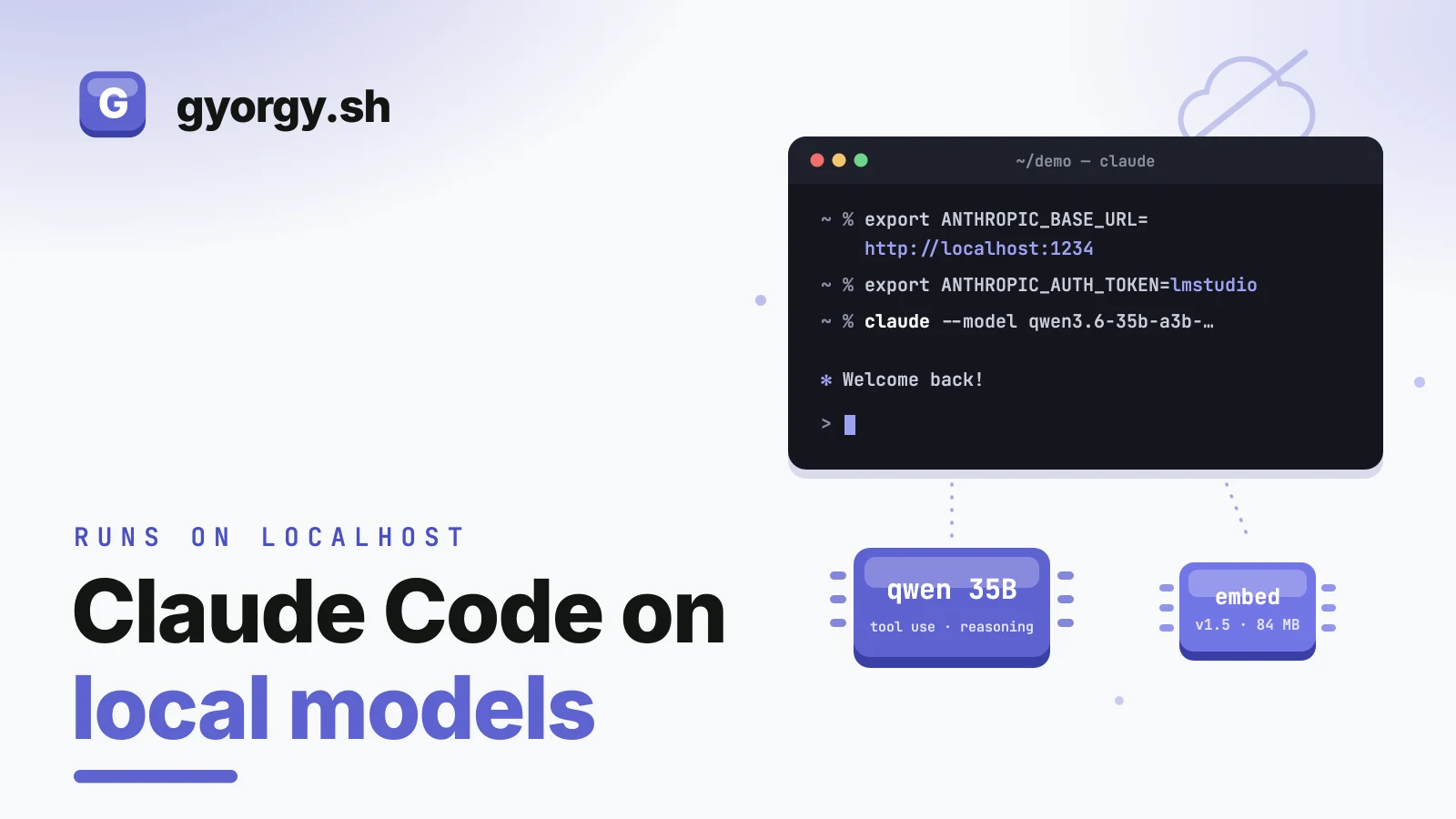
I spend most of my working day inside Claude Code. Sometimes I want the exact same workflow without the cloud on the other end: on a plane, poking at a model I just downloaded, or working on something that should not leave the machine. It turns out you do not need a different tool for that.
The Claude CLI is, underneath, just a client for the Anthropic API. It does not care who answers, as long as the answers speak that API. Both LM Studio and Ollama can serve an Anthropic-compatible endpoint on localhost these days, which means the whole trick is two environment variables.
The whole trick
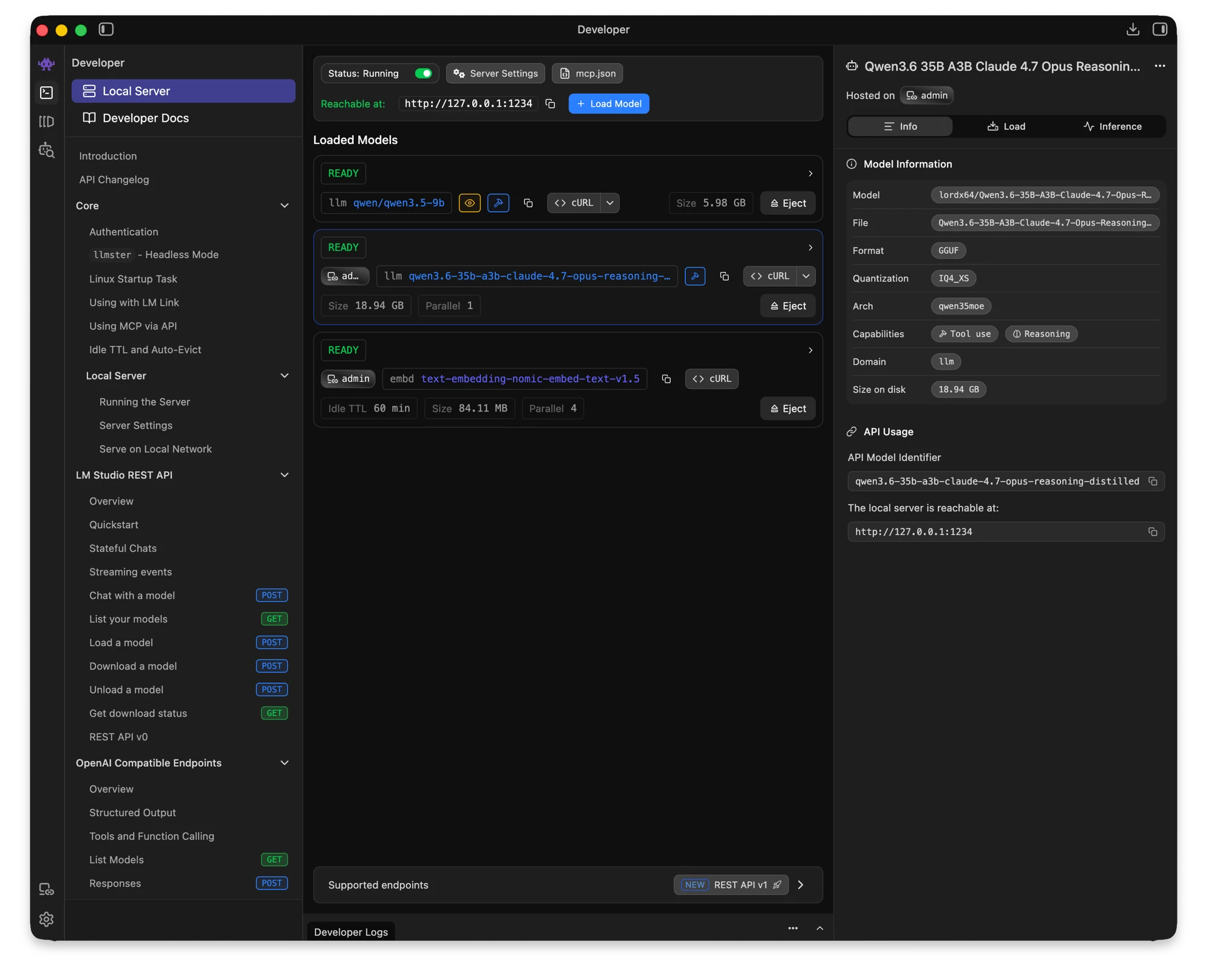
Here is my LM Studio developer view with the server up on port 1234 and two models loaded: qwen3.5-9b, the reasoning distill that does the actual work, and a tiny embedding model that will matter later in this post.
With the server running and a model loaded:
export ANTHROPIC_BASE_URL=http://localhost:1234
export ANTHROPIC_AUTH_TOKEN=lmstudio
claude --model qwen3.5-9b
On Windows the same three lines in PowerShell:
$env:ANTHROPIC_BASE_URL = "http://localhost:1234"
$env:ANTHROPIC_AUTH_TOKEN = "lmstudio"
claude --model qwen3.5-9b
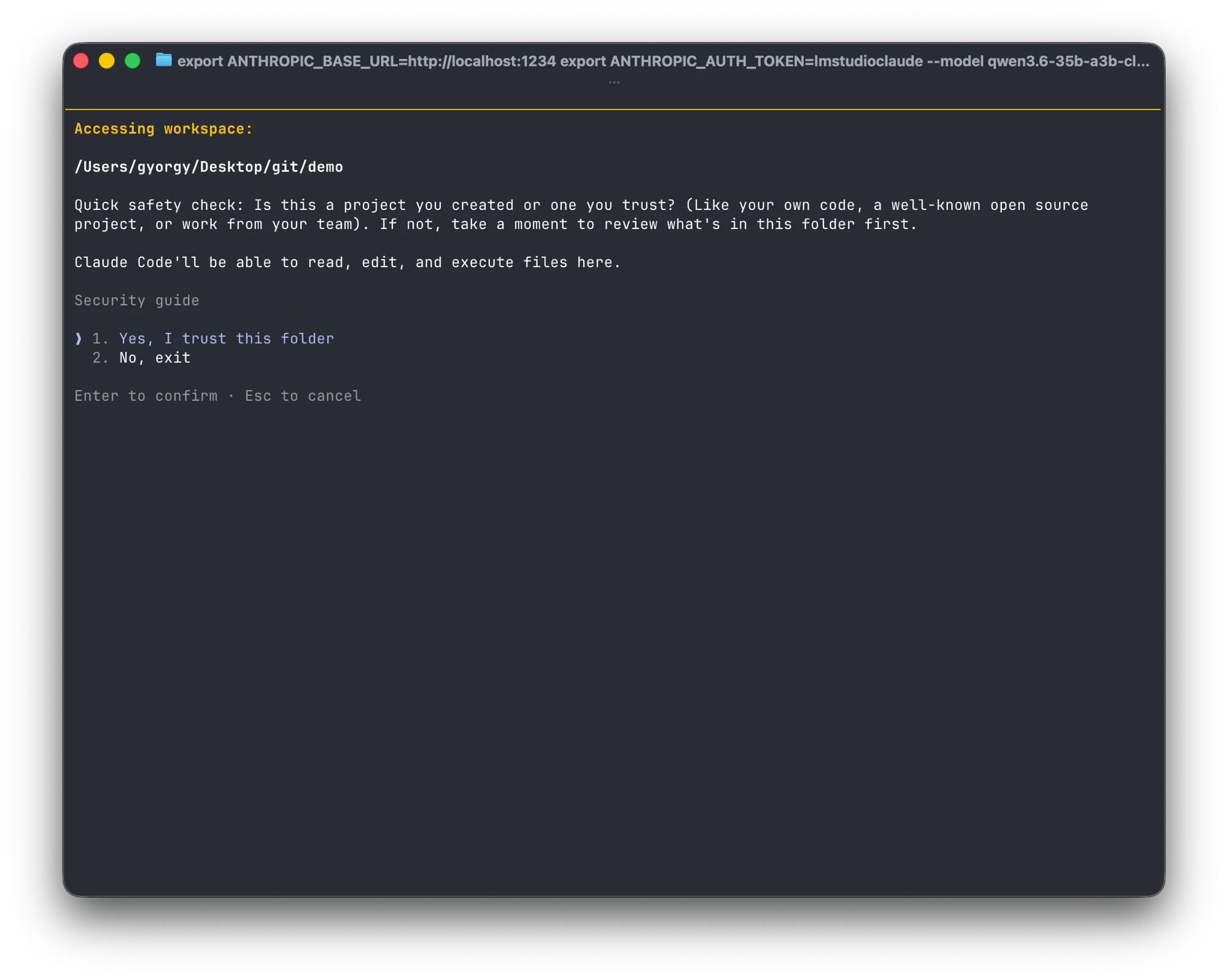
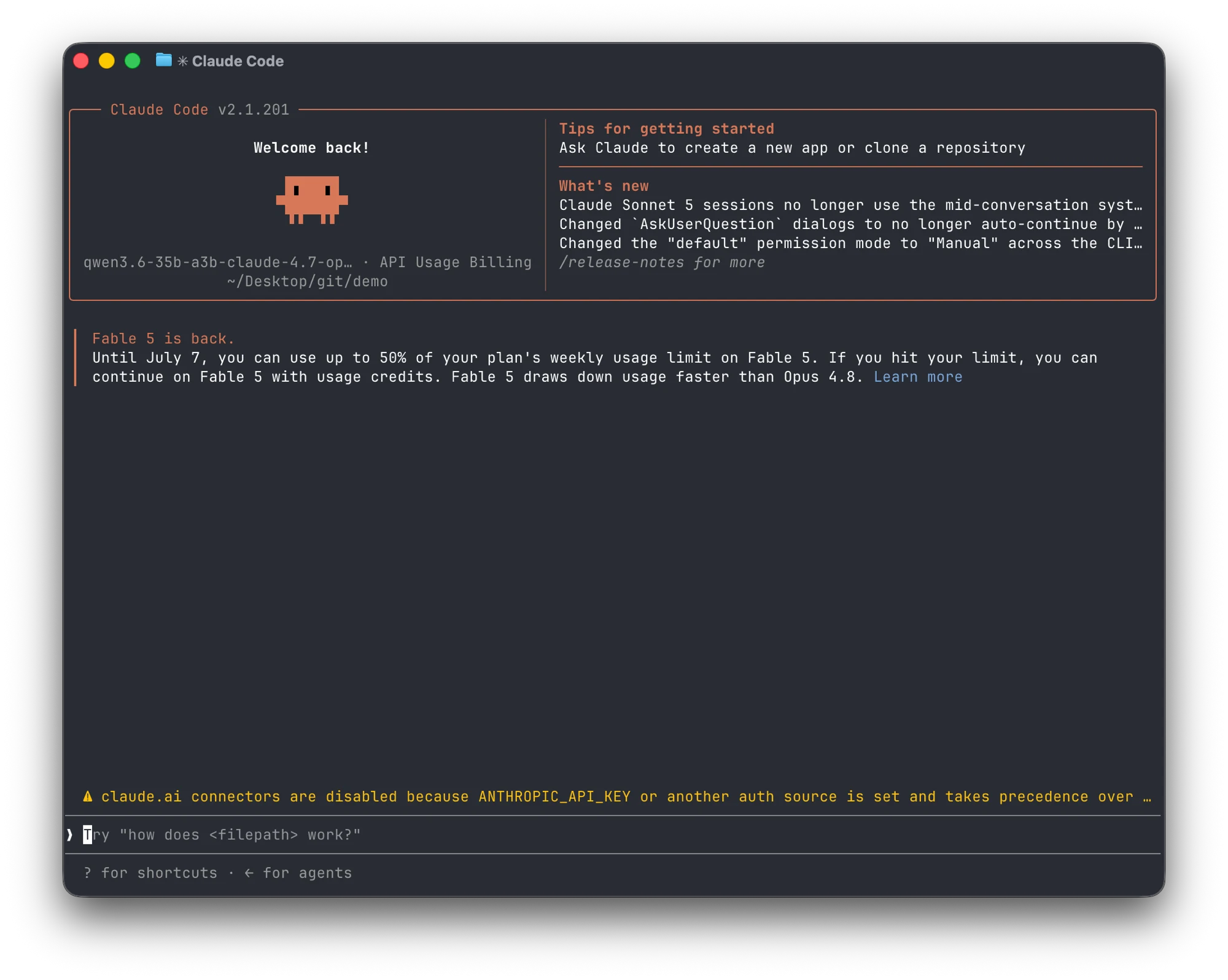
Then start Claude in the terminal as usual. It boots exactly like it always does, trust prompt and all, except the answers now come from the other side of localhost:
Three things are going on:
ANTHROPIC_BASE_URLredirects every API call the CLI makes to the local server instead of Anthropic.ANTHROPIC_AUTH_TOKENcan be any non-empty string. The local server does not check it; setting it just stops the CLI from reaching for your real credentials.--modelnames whatever the local server has loaded. It has to match the id the server advertises, which you can check withcurl http://localhost:1234/v1/models(LM Studio also shows it as the API Model Identifier on the model card).
The welcome screen comes up with the local model's name in the banner, and one honest yellow warning: claude.ai connectors are disabled because another auth source is set. That is expected, it is the point of the exercise.
Ollama is the same move on its own port:
export ANTHROPIC_BASE_URL=http://localhost:11434
export ANTHROPIC_AUTH_TOKEN=ollama
claude --model qwen3.5-9b
Same in Windows PowerShell:
$env:ANTHROPIC_BASE_URL = "http://localhost:11434"
$env:ANTHROPIC_AUTH_TOKEN = "ollama"
claude --model qwen3.5-9b
That is it. Same terminal, same slash commands, same file edits and tool calls, but the tokens never leave the machine. Unset the two variables (or open a new shell) and you are back on the real thing.
What to expect
Honesty section. A local 9B model is not Opus, and the gap shows exactly where Claude Code leans hardest: tool calling. Editing files, running commands, and chaining steps all depend on the model emitting well-formed tool calls, and smaller models fumble that more often than they fumble prose. A few things help:
- Pick a model trained for tool use. The one in the example above is a reasoning distill tuned to mimic Claude's tool-calling behaviour, and that class of model behaves noticeably better inside the CLI than a generic chat model of the same size. LM Studio makes this easy to check: the model card carries capability chips, and you want Tool use and Reasoning on it, plus Vision if you want it reading screenshots and diagrams. Without the first one the CLI is mostly blind.
- Give it context headroom. Claude Code's system prompt plus a real repo eats context fast. Load the model with the largest context window your RAM allows, not the default.
- Scope the asks smaller. Local models do fine on "rename this function everywhere" and struggle on "refactor the module". Treat it like a capable junior, not like Opus.
- Size it to your VRAM, then explore. Tool use, reasoning, and vision are no longer one model's party trick, current-generation Qwen, Llama, Mistral, and DeepSeek families all ship variants tuned for it, at parameter counts from a few billion up into the hundreds. I have tried a good number on my MacBook, working up from small to whatever the largest is it can actually hold in memory:
qwen3.5-9b,qwen3.6-35b-a3b-claude-4.7-opus-reasoning-distilled, andomnicoder-9bare three that stuck around, and they are not interchangeable: one is noticeably steadier at multi-step tool calling, another reasons better on gnarly logic but is slower to respond, another is quicker but sloppier with edits. Pull a couple that fit comfortably in your own machine, swap the--modelflag between them, and judge by the tasks you actually throw at it rather than by parameter count.
For quick edits, questions about the code in front of you, and offline work, it is genuinely useful. For the long autonomous runs, I still hand the wheel back to Claude.
The same wiring runs MyAgens
This is not a one-off hack; it is the same connection model MyAgens uses. The panel and the Telegram side both talk to their agents through the Anthropic API shape, so anything local that speaks it can slot in:
- Local models for the fleet. Point MyAgens at LM Studio, Ollama, or a proxy and run the whole thing, or just some Leads, off a local model.
/modelswitches live from Telegram, effective on the next message, so Atlas can stay on Claude while a log-summarising Lead runs locally for free. - Local embeddings for memory. Semantic recall ranks memories by meaning instead of keyword overlap, using a local embedding model. That is the third model in the LM Studio screenshot above: Nomic Embed v1.5, all of 84 MB, sitting loaded next to the big one. At startup MyAgens probes Ollama, then LM Studio, and turns semantic recall on against whichever is live, with no configuration; when neither is reachable it falls back to keyword search.
- Local voice, both directions. Voice notes get transcribed by a fully offline Vosk model before the agent sees them, and with
/voice onthe replies come back as speech through a local Piper voice. No API key on either leg.
The status page in the panel shows all of it at a glance: reachability and model lists for the Anthropic API and whatever local backend is up. There is a full tour of MyAgens in the catch-up post.
Why bother
Three reasons, in my order:
- Privacy. Some repos, logs, and notes simply should not leave the machine. A local model makes that a non-decision.
- Cost. Background chores like summaries, memory recall, transcription, and voice do not need a frontier model. Running them locally means the subscription budget goes to the work that deserves it.
- It is fun. New open-weight models ship weekly, and dropping one behind a tool you already use daily is the fastest way to find out what it can actually do, as opposed to what the benchmark table says.
The nice part is that none of this required new tooling. One API shape, two environment variables, and the same terminal I already live in.
Cleaning up after yourself
On a Mac, export only lives in the shell session that ran it. Close the terminal and ANTHROPIC_BASE_URL / ANTHROPIC_AUTH_TOKEN are gone, no cleanup needed.
On Windows they are easy to set permanently by mistake (setx, or System Properties → Environment Variables), which writes them into the registry at HKCU:\Environment so they stick around in every shell from then on. Clear them from there:
[Environment]::SetEnvironmentVariable("ANTHROPIC_BASE_URL", $null, "User")
[Environment]::SetEnvironmentVariable("ANTHROPIC_AUTH_TOKEN", $null, "User")
Remove-ItemProperty HKCU:\Environment ANTHROPIC_BASE_URL -ErrorAction SilentlyContinue
Remove-ItemProperty HKCU:\Environment ANTHROPIC_AUTH_TOKEN -ErrorAction SilentlyContinue
Either pair should clear it; running both is just belt and suspenders. Open a fresh terminal after and the CLI is back on the real thing.