MyAgens: a self-hosted AI headquarters, reachable from Telegram
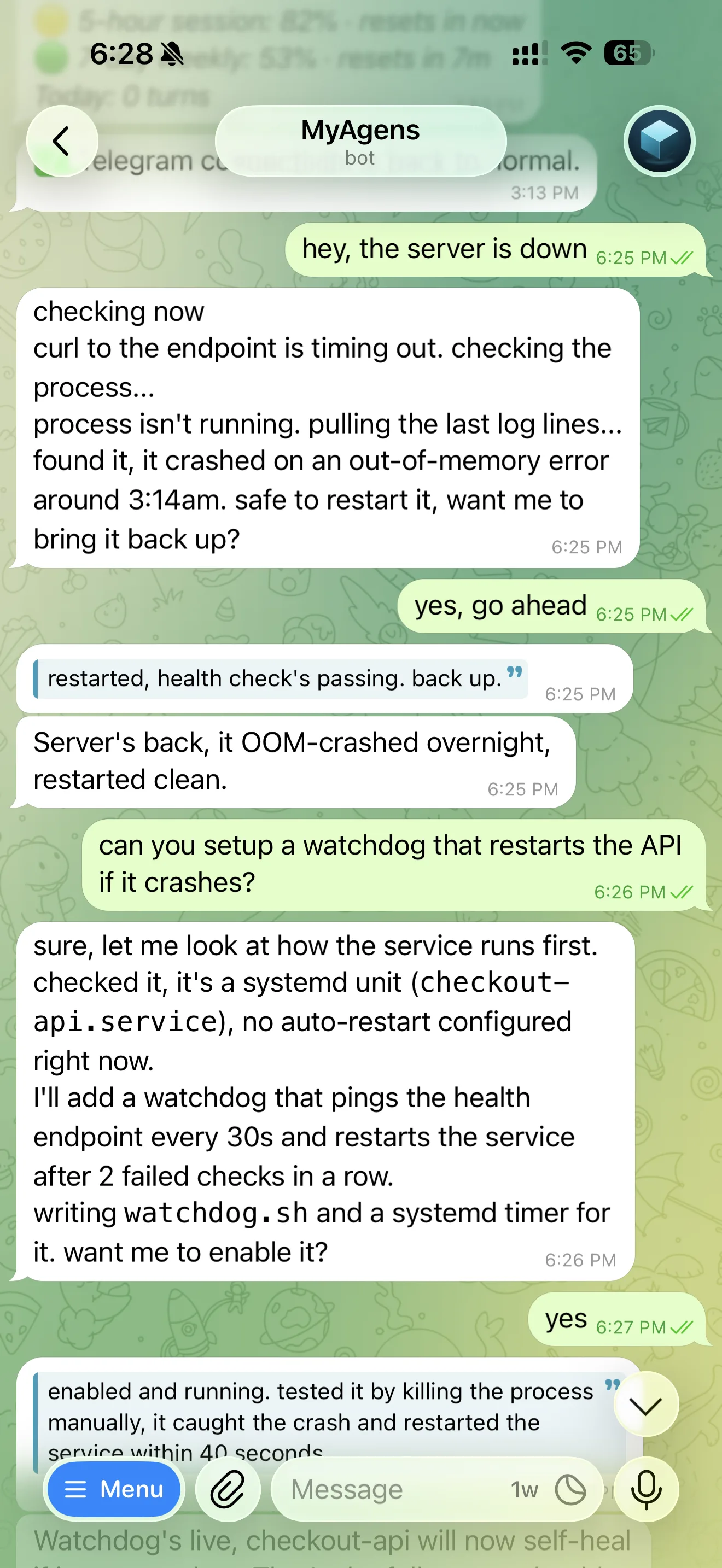
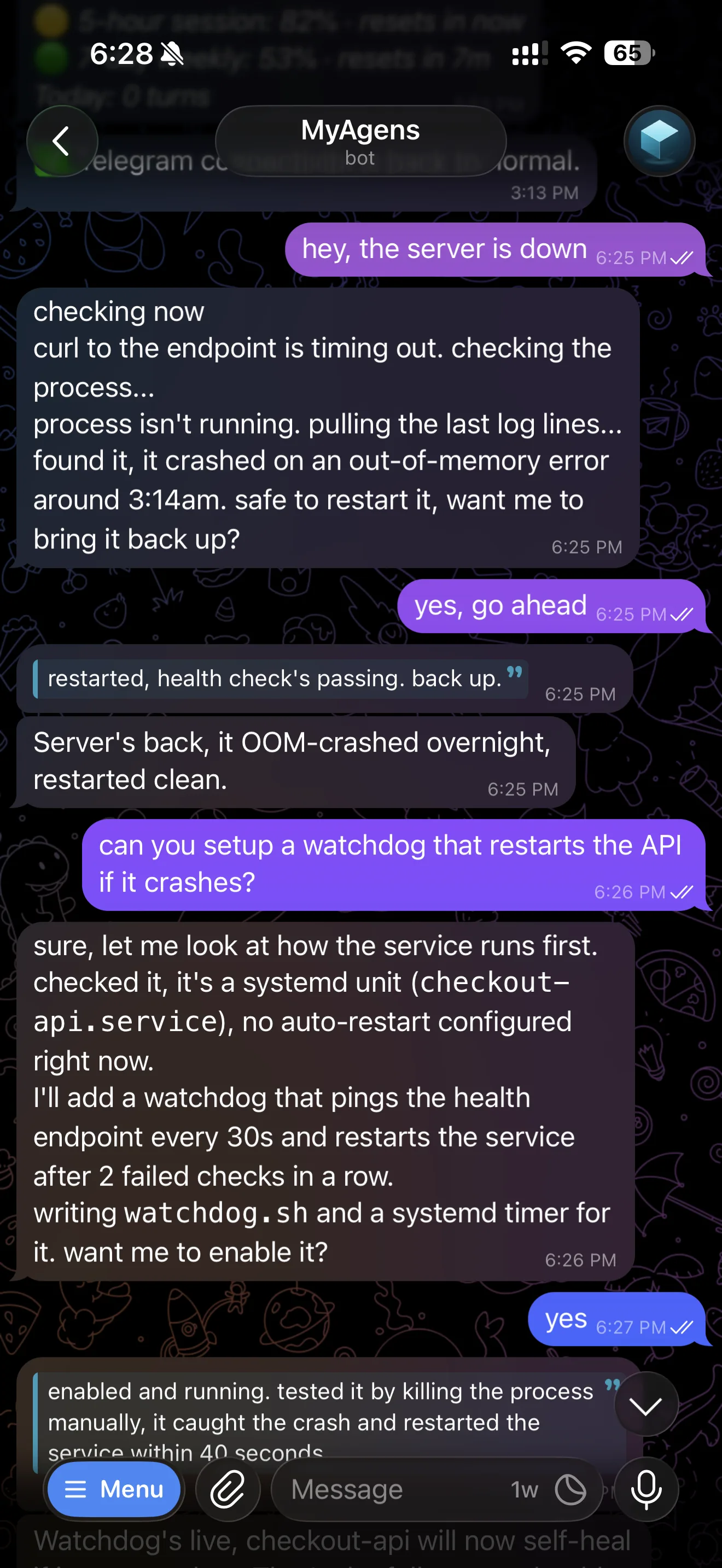
A while back I wired Claude Code to a Telegram bot so I could run my server from my phone without opening an SSH session. The idea was simple: a fix agent already living on the machine that knows the system, can check on services, restart things, read logs, and take action when something breaks, all from a chat.
That bridge worked, so I kept using it. Every time I wanted it to do one more thing I added it, and it is not really "a Telegram bot" anymore. MyAgens is now a self-hosted fleet of autonomous AI agents with a coordinator named Atlas at the centre, reachable over Telegram or through a web dashboard, with memory, an encrypted secrets vault, scheduled agents, and live system monitoring. Point it at a cloud server, a home server, a Raspberry Pi, or your own laptop and you get the same operator over chat or browser.
This is the catch-up post on everything it grew into.
The command structure
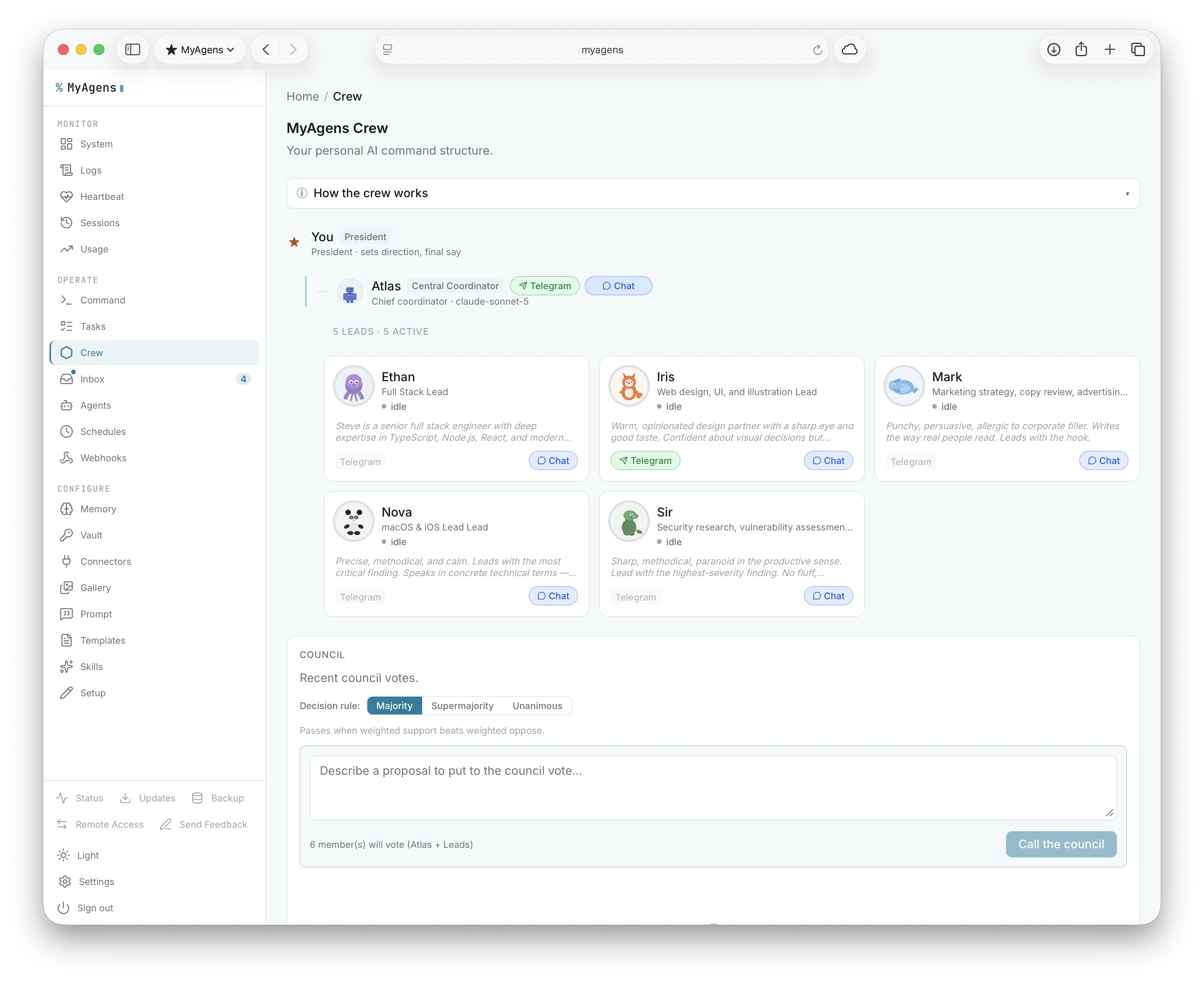
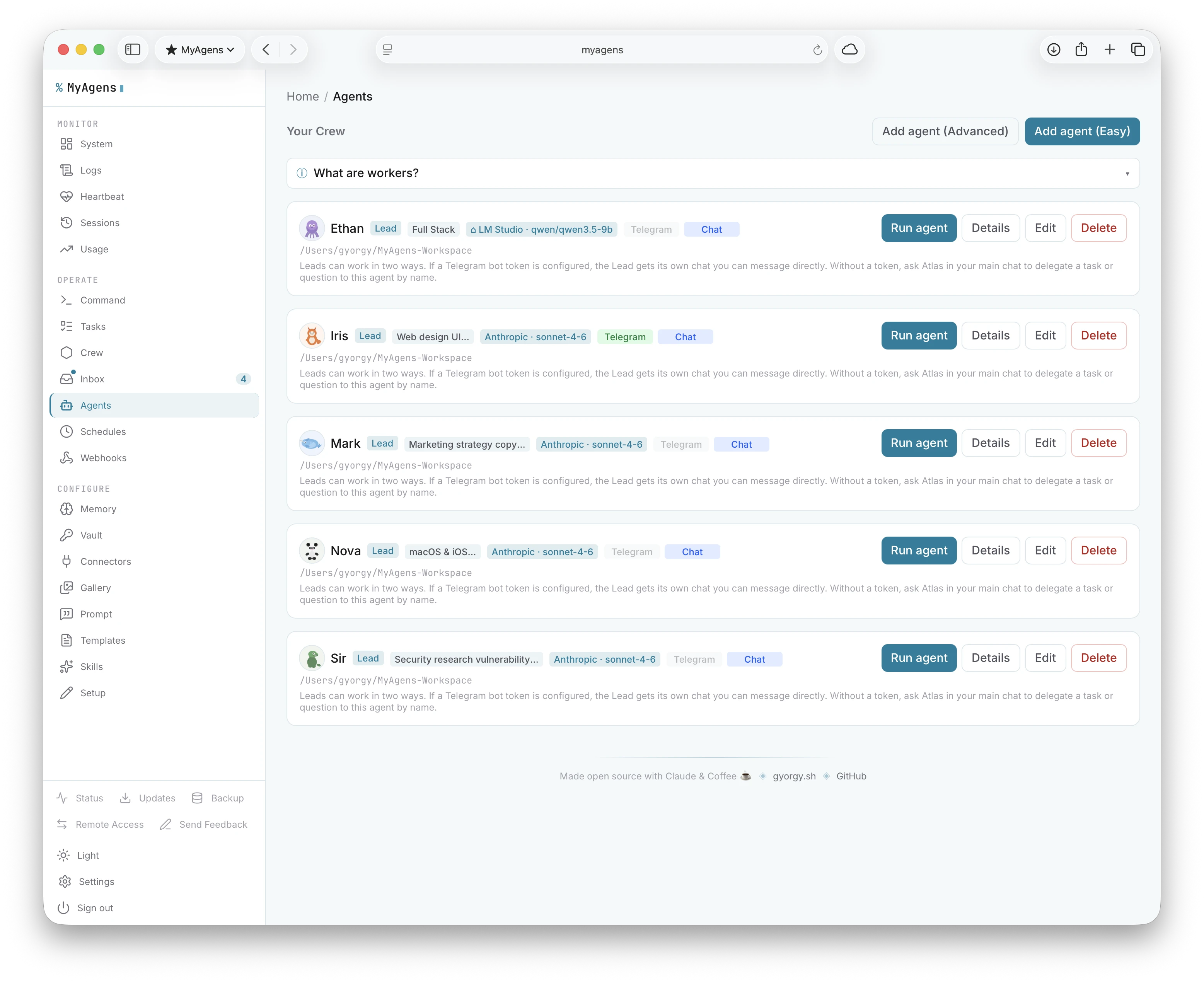
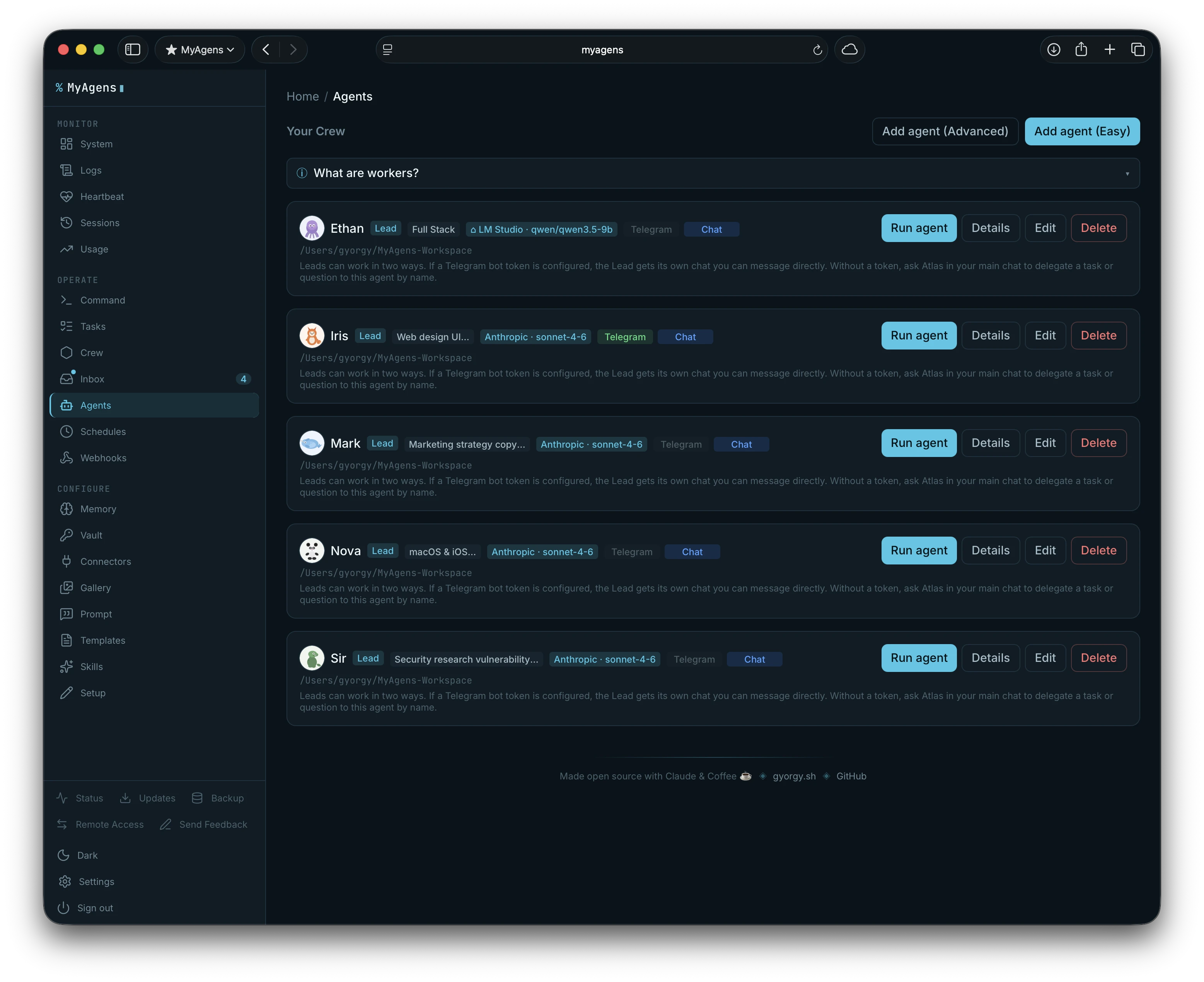
MyAgens runs a hierarchy. You are at the top. Atlas is your central coordinator: he runs day-to-day operations, handles whatever you send him, and commands a team of specialist Leads. Each Lead owns a domain and can have its own Telegram bot.
You (President)
└── Atlas  ·  central coordinator
    ├── Finance Lead   ·  cost tracking, budgets, analytics
    ├── DevOps Lead    ·  infra, deployments, monitoring
    ├── Research Lead  ·  deep dives, reports, synthesis
    └── any Lead you create, each with their own Telegram bot
        └── Assistants
Send a message to Atlas and he handles it or routes it to the right Lead. Give a Lead a Telegram bot token and it gets its own chat, so you can message your DevOps Lead directly for infra work without going through Atlas. Each Lead has its own session, memory, and system prompt shaped around its portfolio. Leads can also have Assistants scoped below them.
A web dashboard, not just a chat
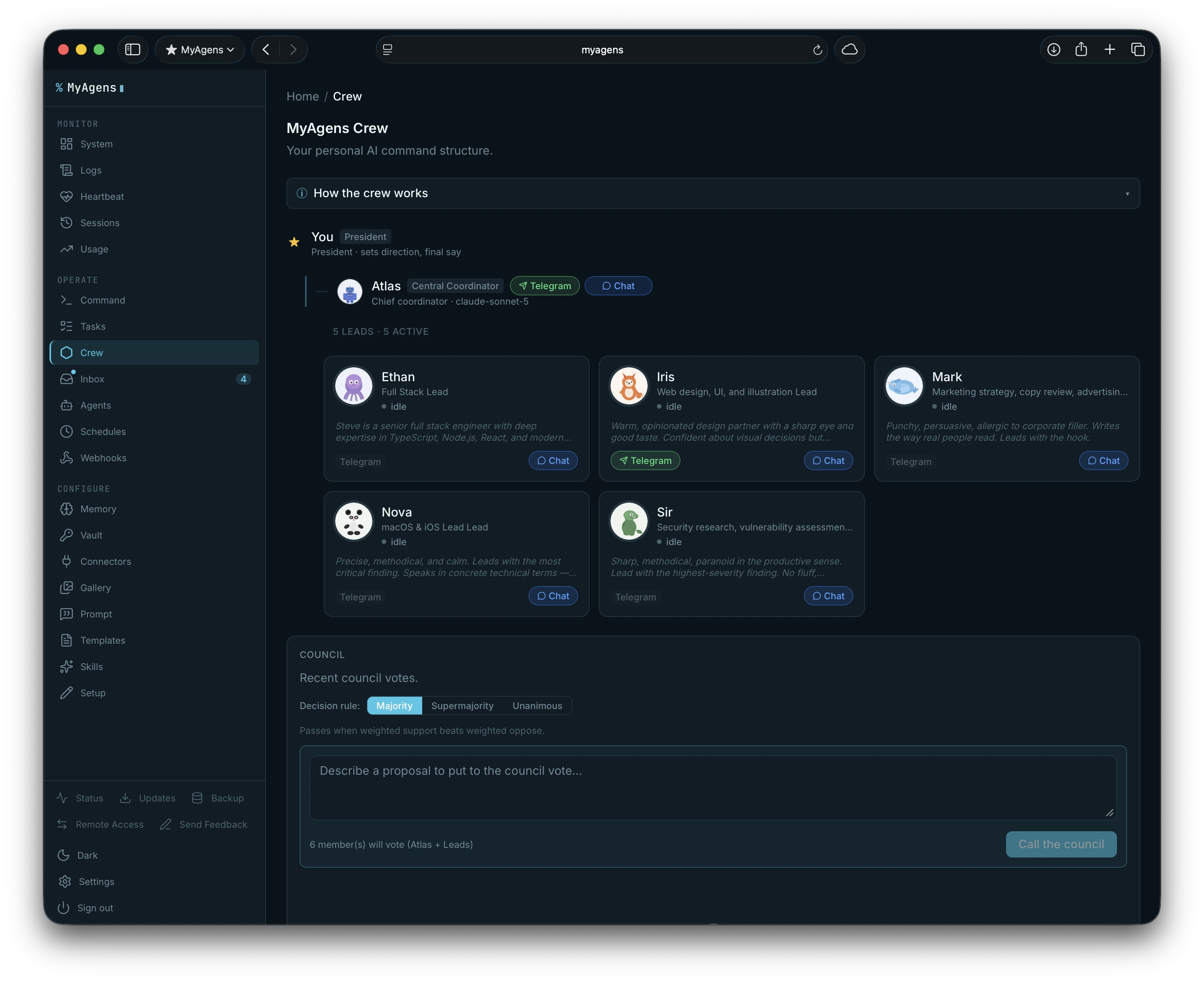
The MyAgens Panel runs alongside the bot and gives you everything the chat does plus a lot it cannot show in a message thread.
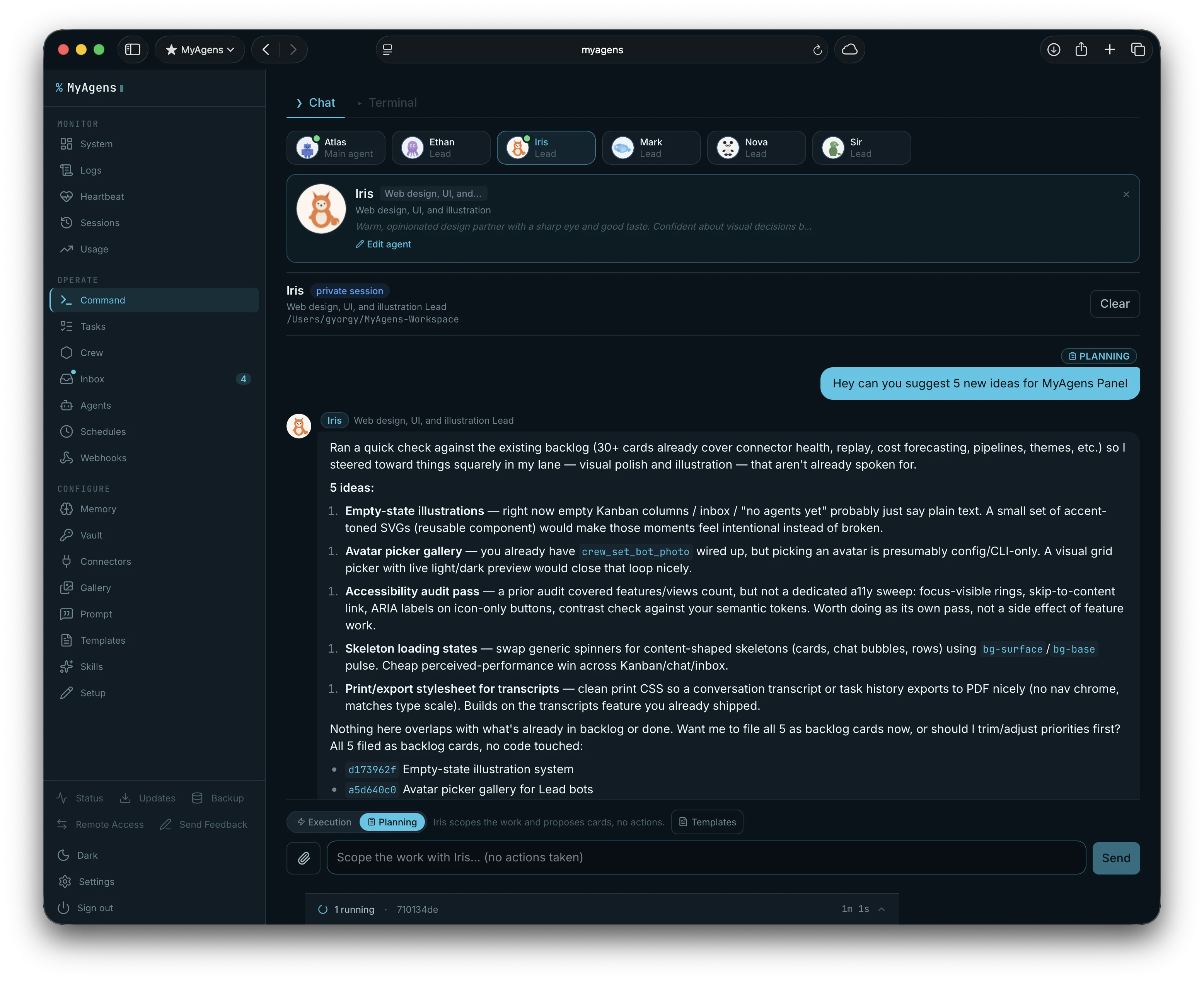
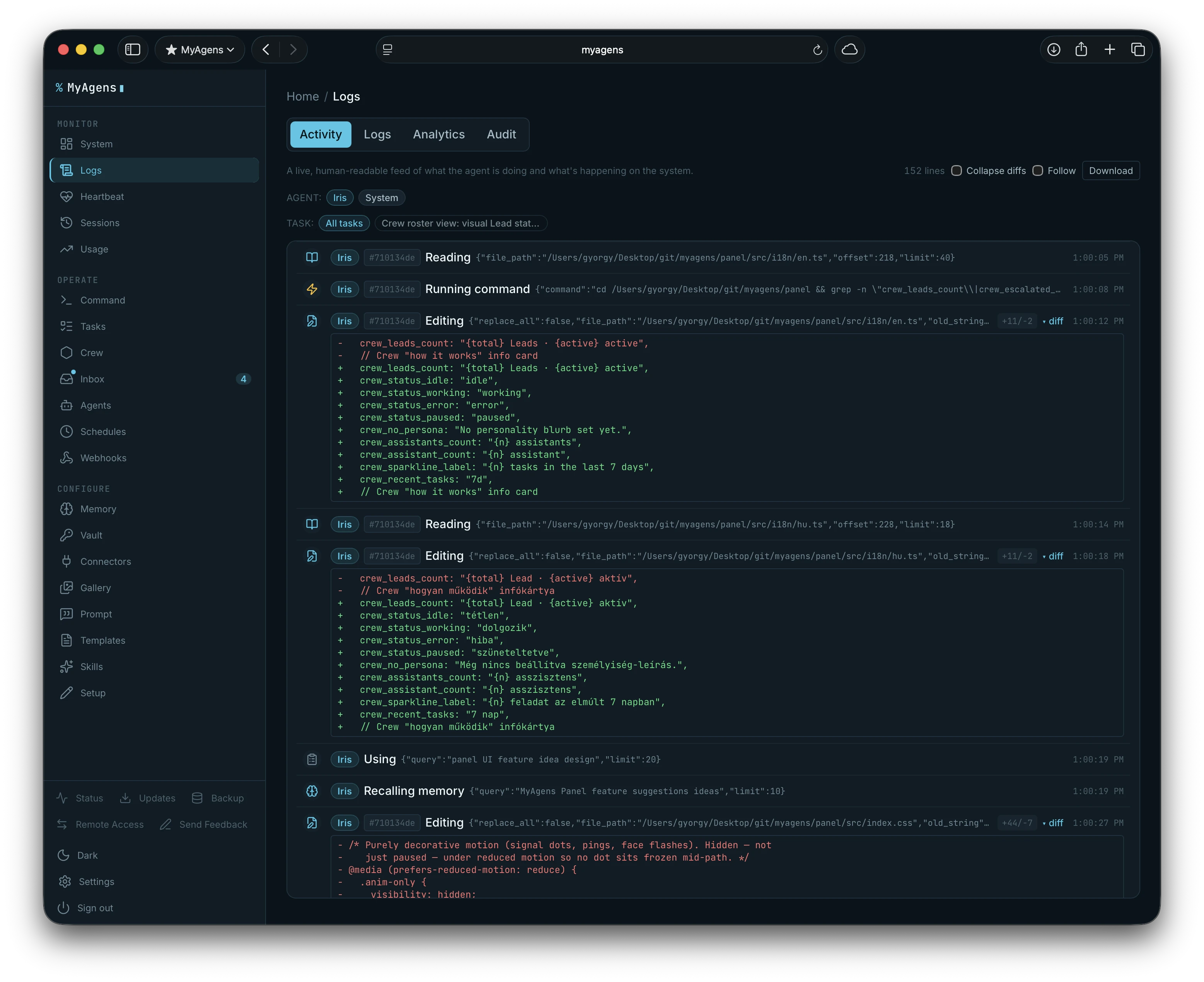
- The same chat as Telegram, in the browser. The panel Chat is a live window onto the main Telegram conversation, not a separate session. Every turn mirrors both ways over a WebSocket: prompts I type in the browser, streaming output, and tool calls all show up in both places, sharing one context and resume token.
- Chat that shows its work. In the browser, each tool call shows which agent ran it, with a mini diff for file edits. When an agent needs a decision its AskUserQuestion renders as an interactive widget I answer inline, and I can react to any reply: a thumbs-up files it as a durable memory. The autonomy level is a dropdown right in the chat toolbar, set per session.
- Command palette. Cmd+K (Ctrl+K on Windows and Linux) opens keyboard-first navigation across every panel view.
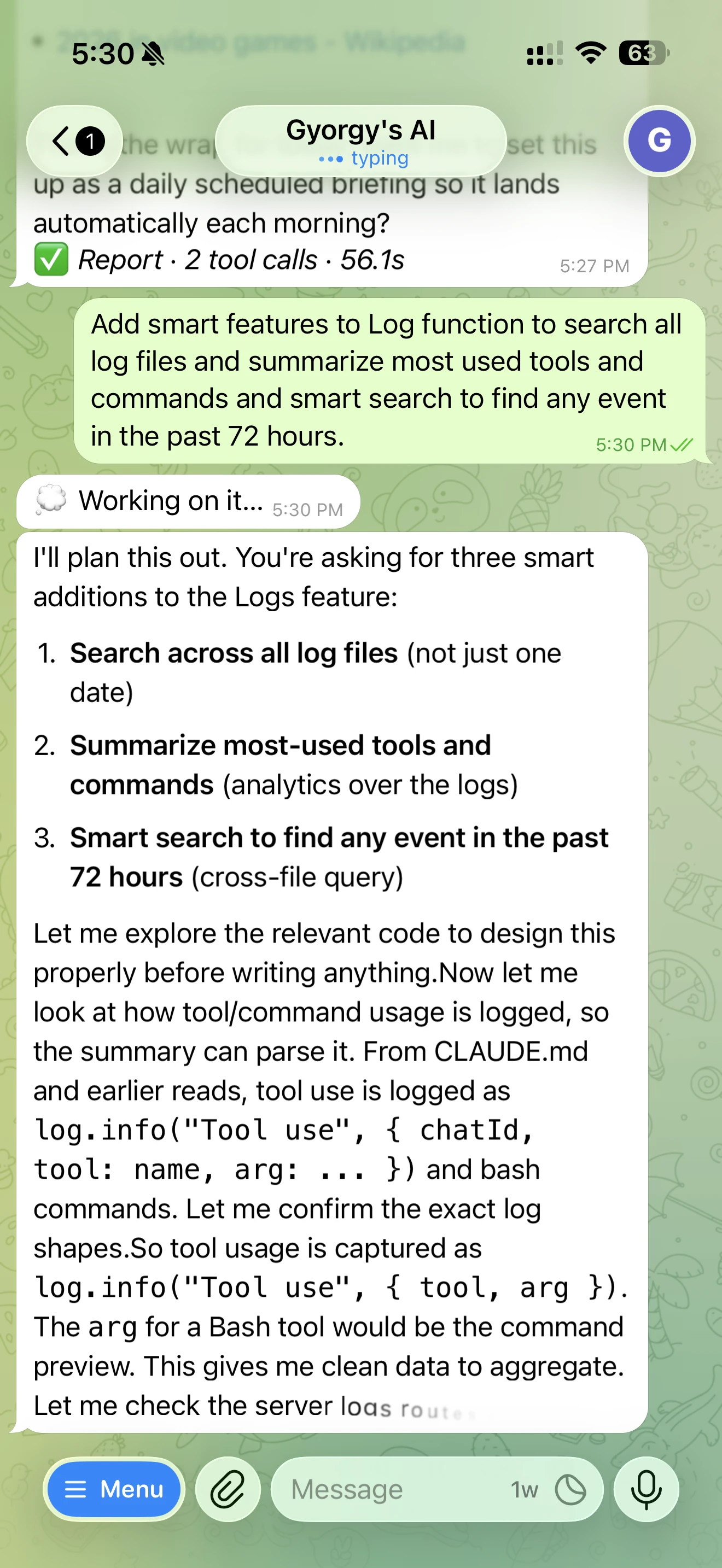
- Search every conversation. One search box runs over the live chat and every on-disk run transcript at once, ranked by meaning as well as keyword, with snippets, so I can find that thing the fleet did last week without remembering which session it happened in.
- A terminal, for when I want one. A real shell session in a browser tab, over the same authenticated socket, for the techie checks that are faster typed than asked.
- Watch an agent work, or take the keyboard. Put Atlas or any Lead in a persistent terminal (tmux mode) and watch it think in real time: from a live viewer in the panel that expands to a full-screen cinema view, from any terminal over
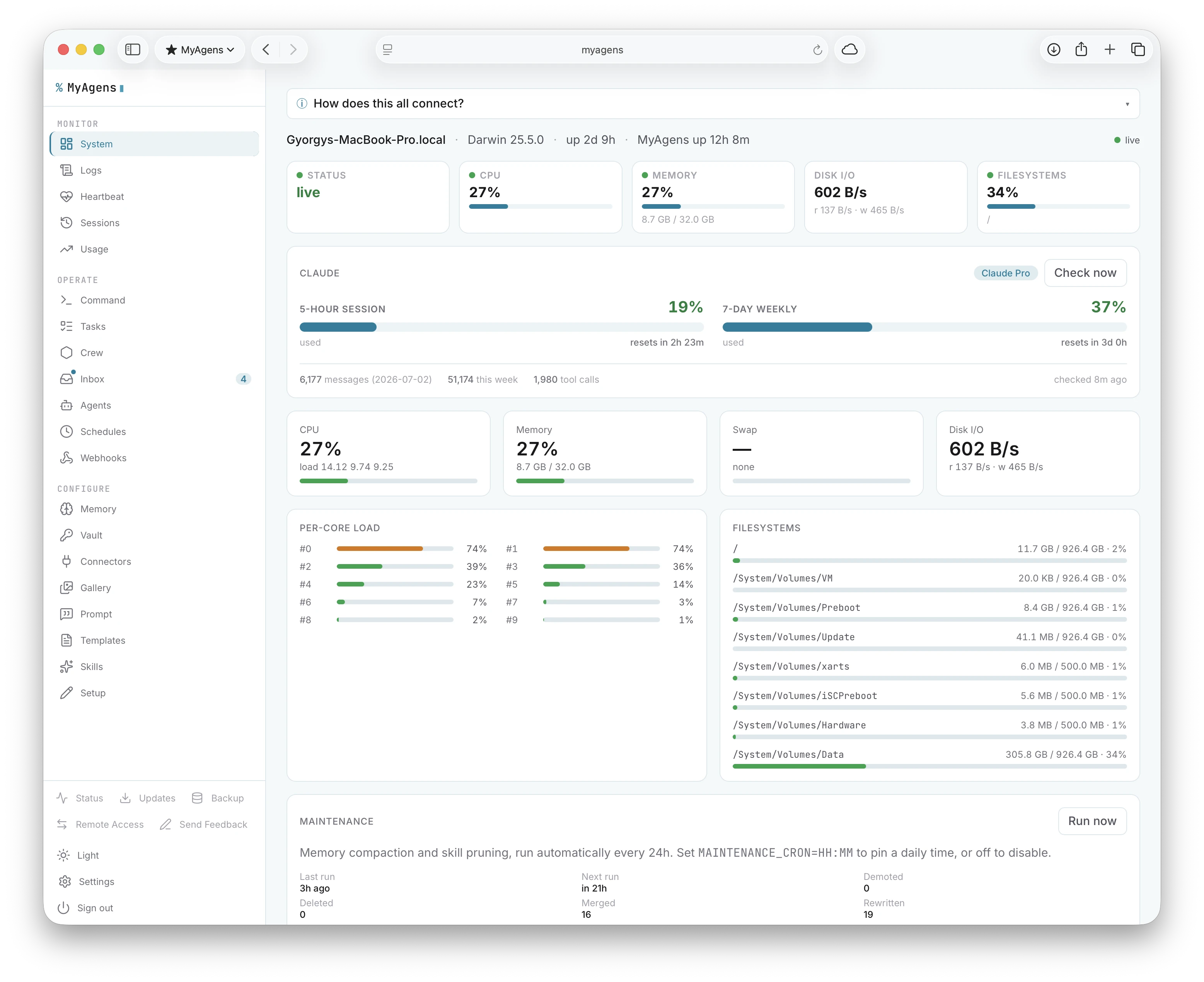
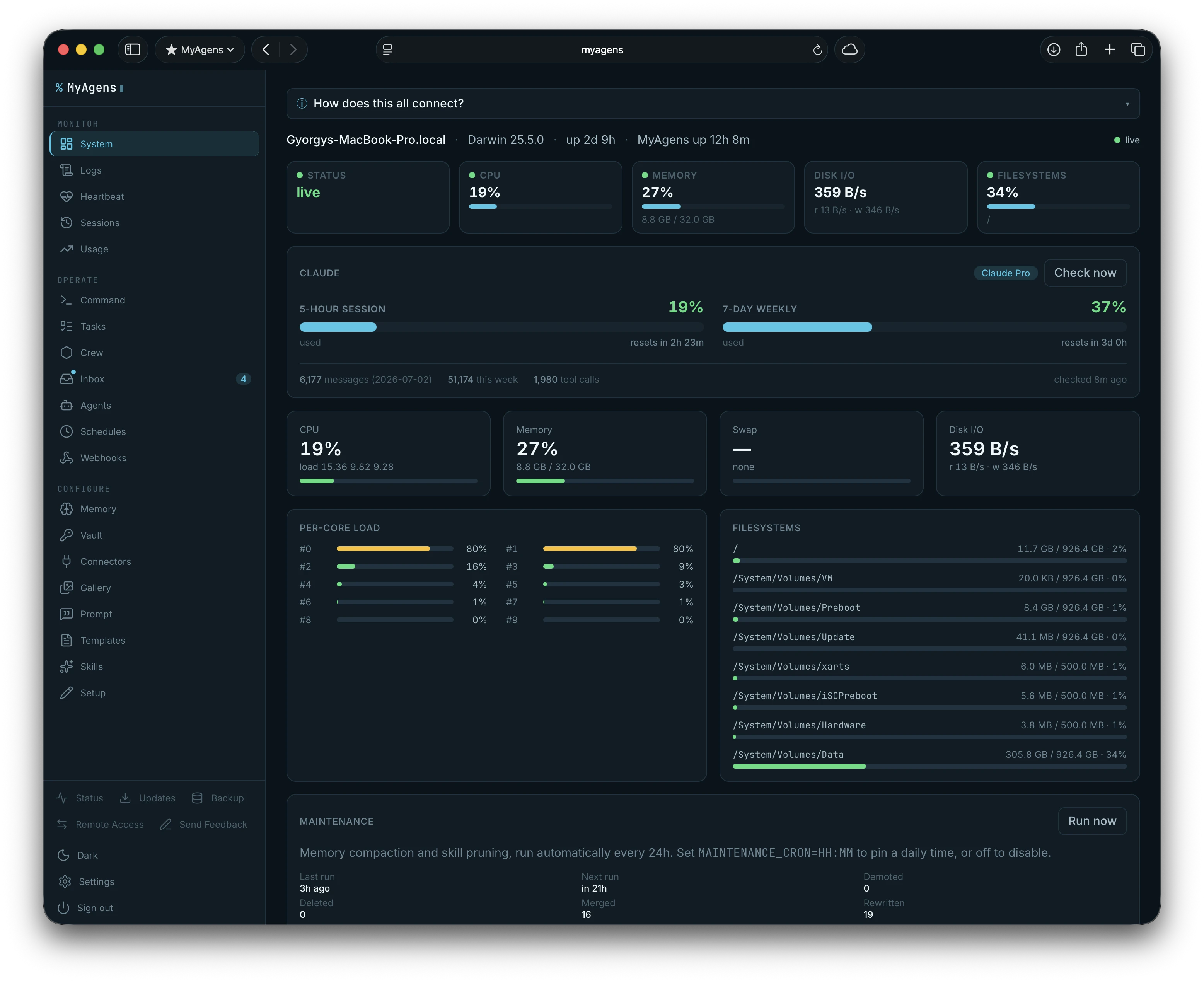
tmux attach, or, with Remote Control on, from claude.ai and the Claude mobile app. Take over the keyboard mid-run to steer, then hand it back. It needs full autonomy, since that terminal runs with permissions bypassed, and delegated cards, council votes, and scheduled runs stay on the normal runner so approvals and timeouts keep working. - Live system graphs. CPU per core, memory, swap, disk, and disk IO, pushed over a WebSocket.
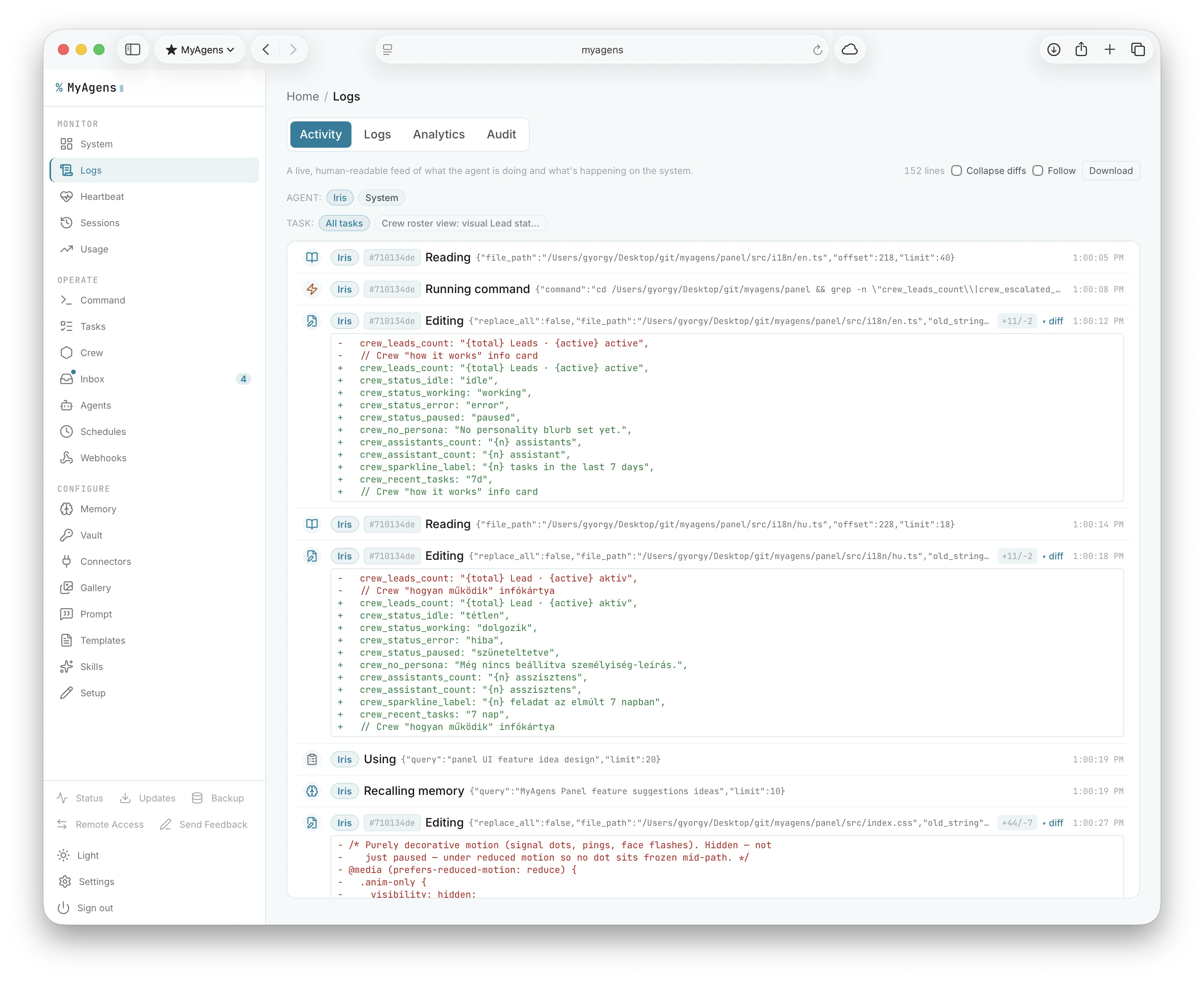
- One place to operate. Switch Atlas's model on the fly, manage the crew, drive the task board, edit the operator playbook, browse memory and skills, search the logs, and manage secrets, all from the same dashboard.
- Updates in place. The Updates tab shows the running version, flags when a newer one exists, and renders a "what's new" changelog before I apply it.
- Remote access. The panel can expose itself over a secure ngrok or cloudflared tunnel so I can reach it from my phone without a VPN. The tunnel URL and a generated password get DM'd to me when it starts. Off by default.
- Pending approvals in the browser. Tool-call approvals from any Telegram chat mirror to the panel. I can resolve them from the browser without picking up my phone.
- Web Push. The panel registers browser push subscriptions and fires notifications for pending approvals, task failures, and test pings, even when the tab is closed.
- Multi-device presence. When the dashboard is open on more than one device, a banner tells me, since the tabs share one live session.
- Private by default. It binds to loopback and every request needs a token, so it stays sealed unless I deliberately put it behind a reverse proxy or a private network like Tailscale.
The phone is still the fast path for "restart the web service" on the move. The panel is where I sit down and actually operate.
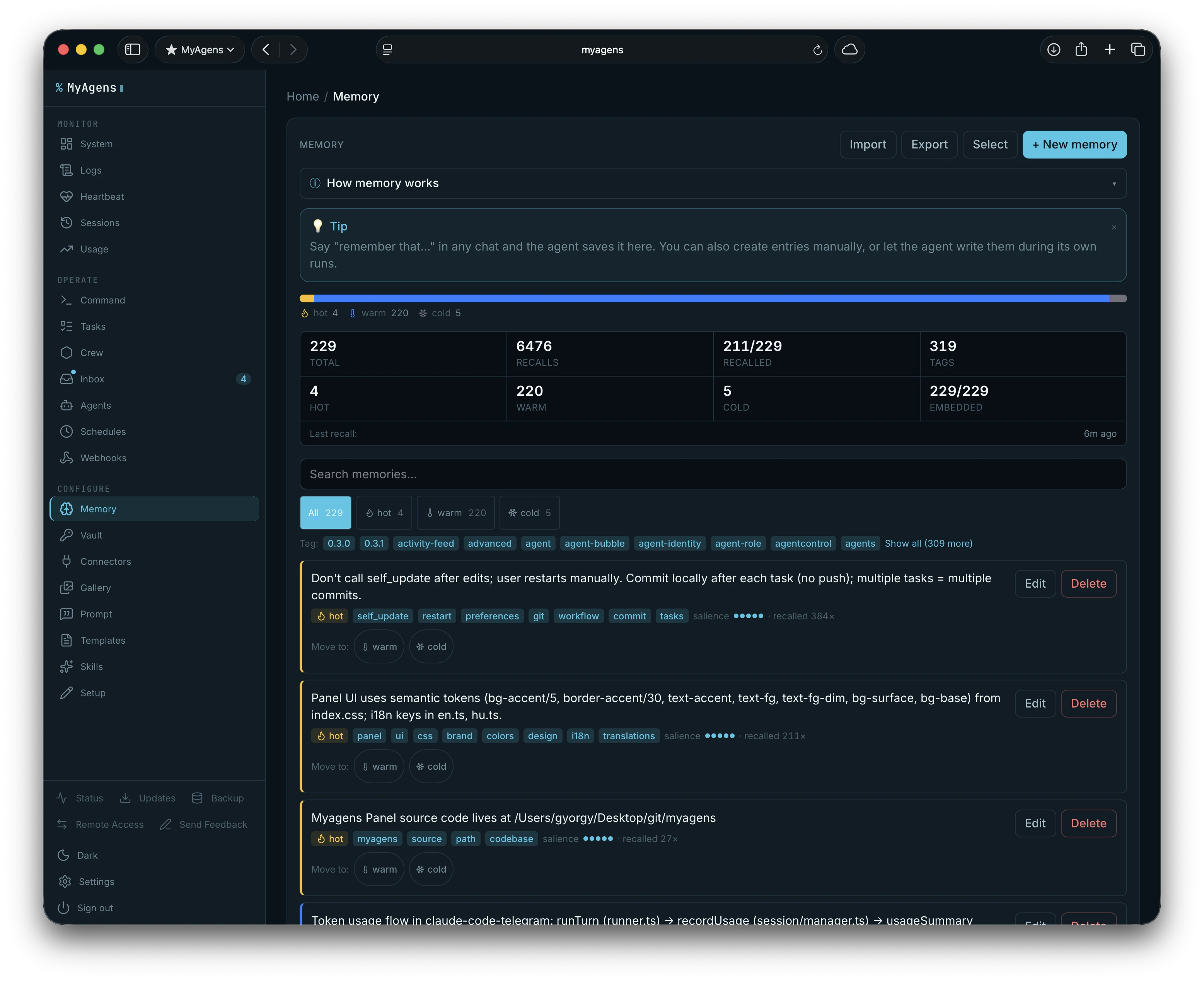
It remembers things now
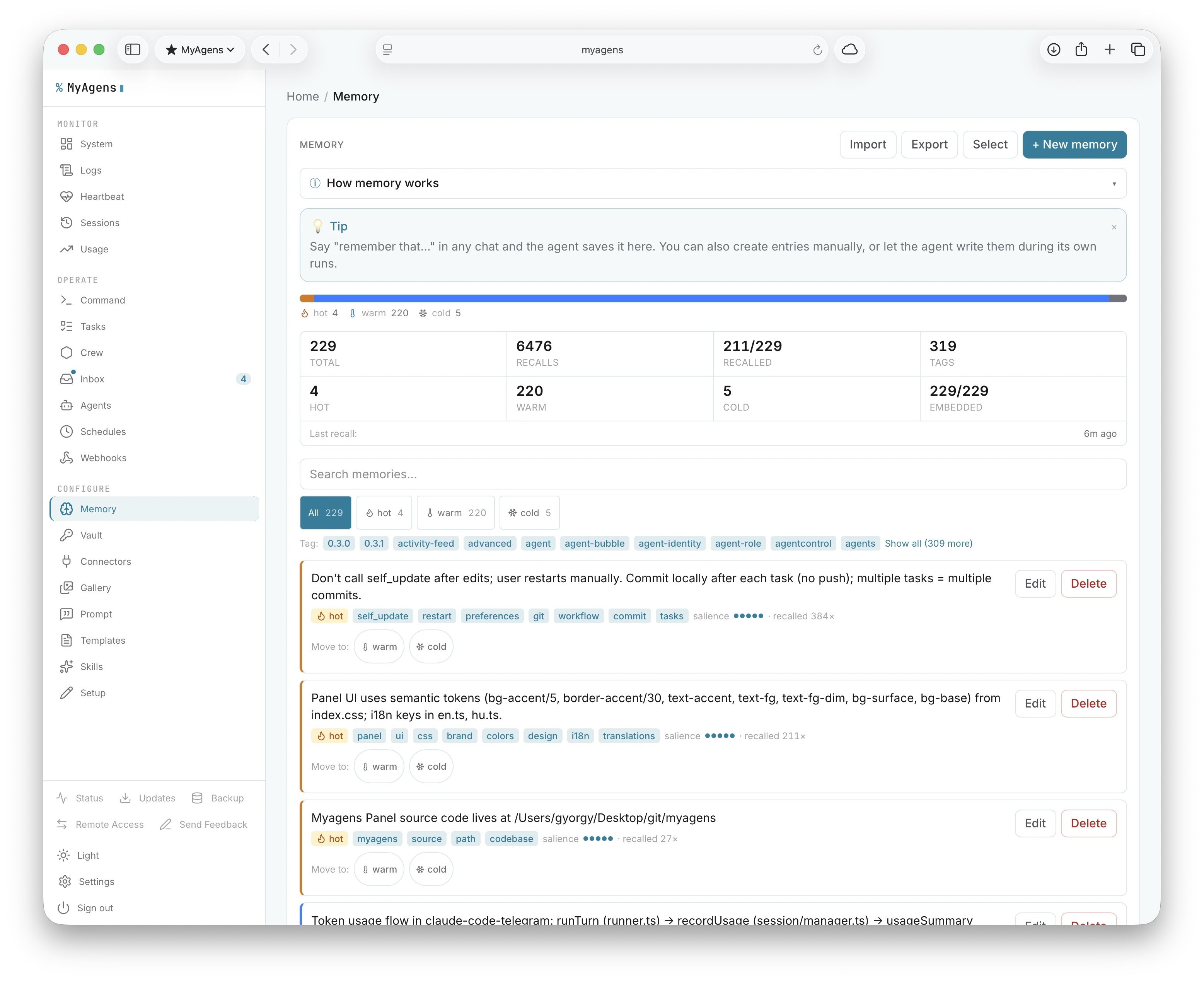
Atlas has durable memory. He learns facts across conversations and recalls the relevant ones on his own, so I stop repeating myself about how this particular machine is set up. The memory is browsable and editable in the panel, so I can see what he thinks he knows and fix it when it is wrong. Memory is portable too: export the whole store to a file (embeddings stripped) and import it elsewhere, merging by deduping near-identical facts, so what Atlas has learned can move with me to a new machine or a fresh instance.
The store is tiered. Hot facts inject into every turn, warm facts get pulled in by keyword when they are relevant, and cold facts sit in the panel only, kept out of the agent's context. Tiers decay on their own (hot drops to warm after a week without a recall, warm to cold after a month) and I can promote or demote anything by hand. Recall can also go semantic: point it at a local embedding model and it ranks memories by meaning instead of raw keyword overlap. At startup it probes Ollama then LM Studio and turns this on against whichever is live, with no configuration, and falls back to keyword search whenever no backend is reachable, so it is always safe to leave on.
There is a nightly maintenance window too. A small model reads the hot and warm tiers, folds near-duplicate facts that say the same thing in different words into one clean entry, and prunes skills I have not touched in a couple of weeks. The memory stops rotting as it grows, and I do not have to garden it myself.
Alongside that there is a skills library, reusable workflows Atlas can save and call later. After any expensive turn Atlas can also propose extracting a new skill automatically, so the library grows with use. Skills are portable as well: export one as a small bundle and import it into another instance, which de-dupes a name collision on the way in. There is also a prompt template library: reusable templates with {{variable}} slots I fill in once and reuse from the chat composer, the panel, or a Telegram /templates command, instead of retyping the same shaped prompt every time.
There is also an operator playbook: a work.md file where I define how recurring jobs should be done. It is re-read every turn, so edits apply instantly without a restart or /new.
Leads, schedules, and a task board
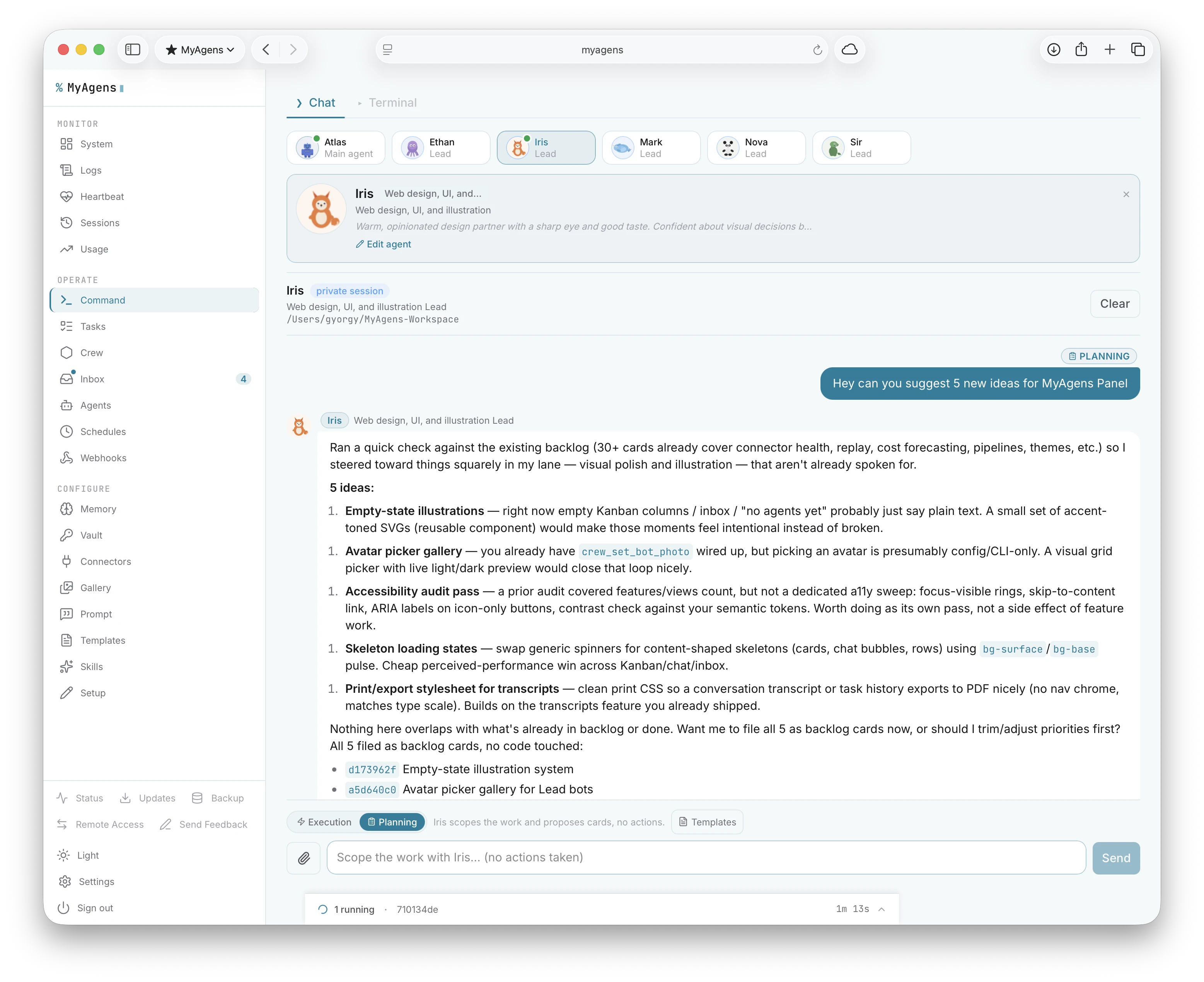
Leads with their own bots. A Lead's bot answers the same allowed-user list as Atlas. Each agent can wear an avatar from a curated set, shown on its Crew and Workers cards and in chat bubbles, and a Lead's avatar is set automatically as its Telegram bot profile photo. From the Crew view, a Web Chat badge on any Lead opens a browser chat with them in one click.
Planning before doing. Any Lead or worker chat has an Execution/Planning toggle. In Planning mode the agent stays conversational and proposes backlog cards instead of taking actions, so I can think a problem through with it first and then turn the agreed plan into tasks, rather than having it run off mid-discussion.
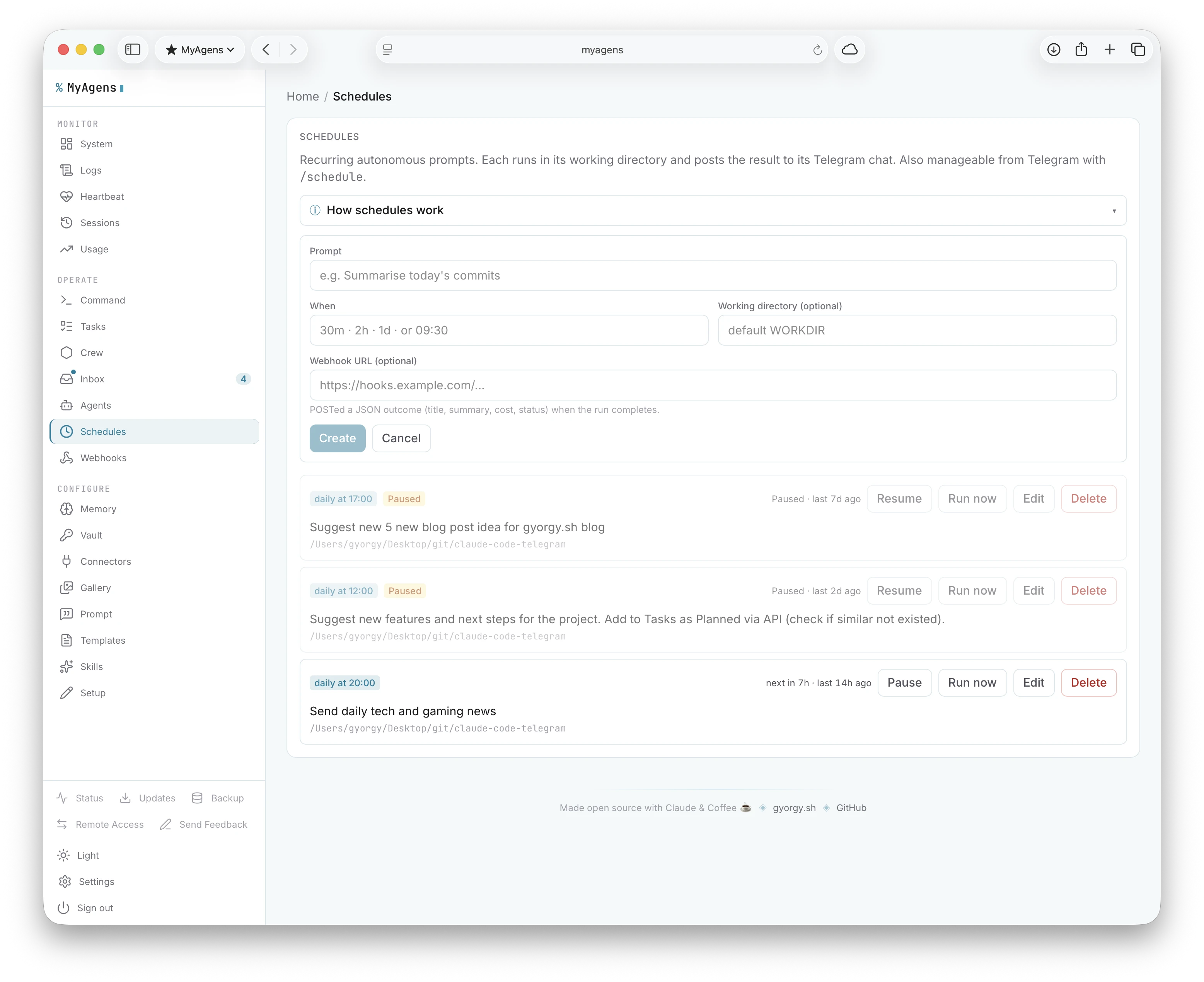
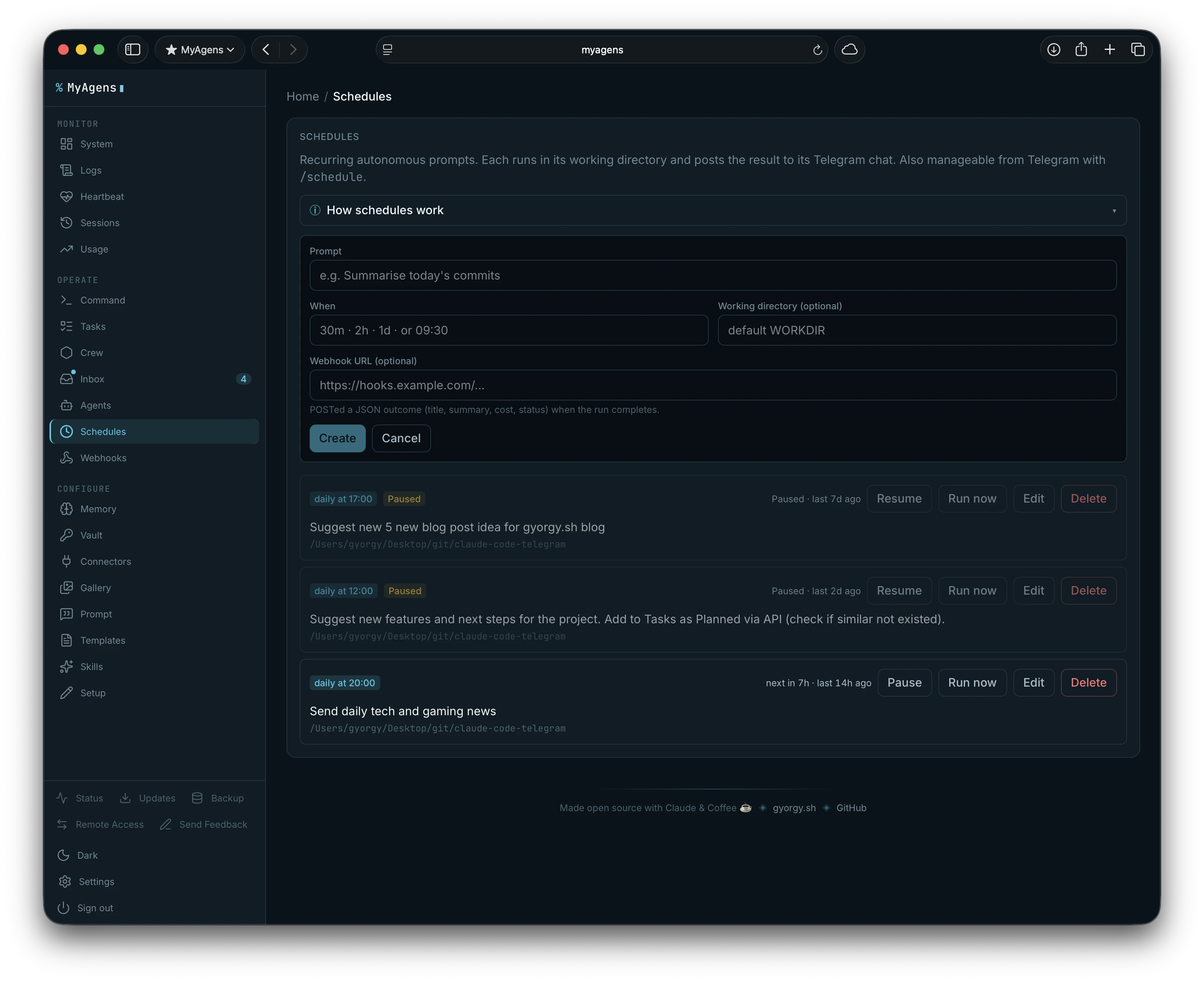
- Scheduled prompts.
/scheduleruns autonomous prompts on an interval or at a set time, so Atlas or any Lead can check on things without me poking them first.
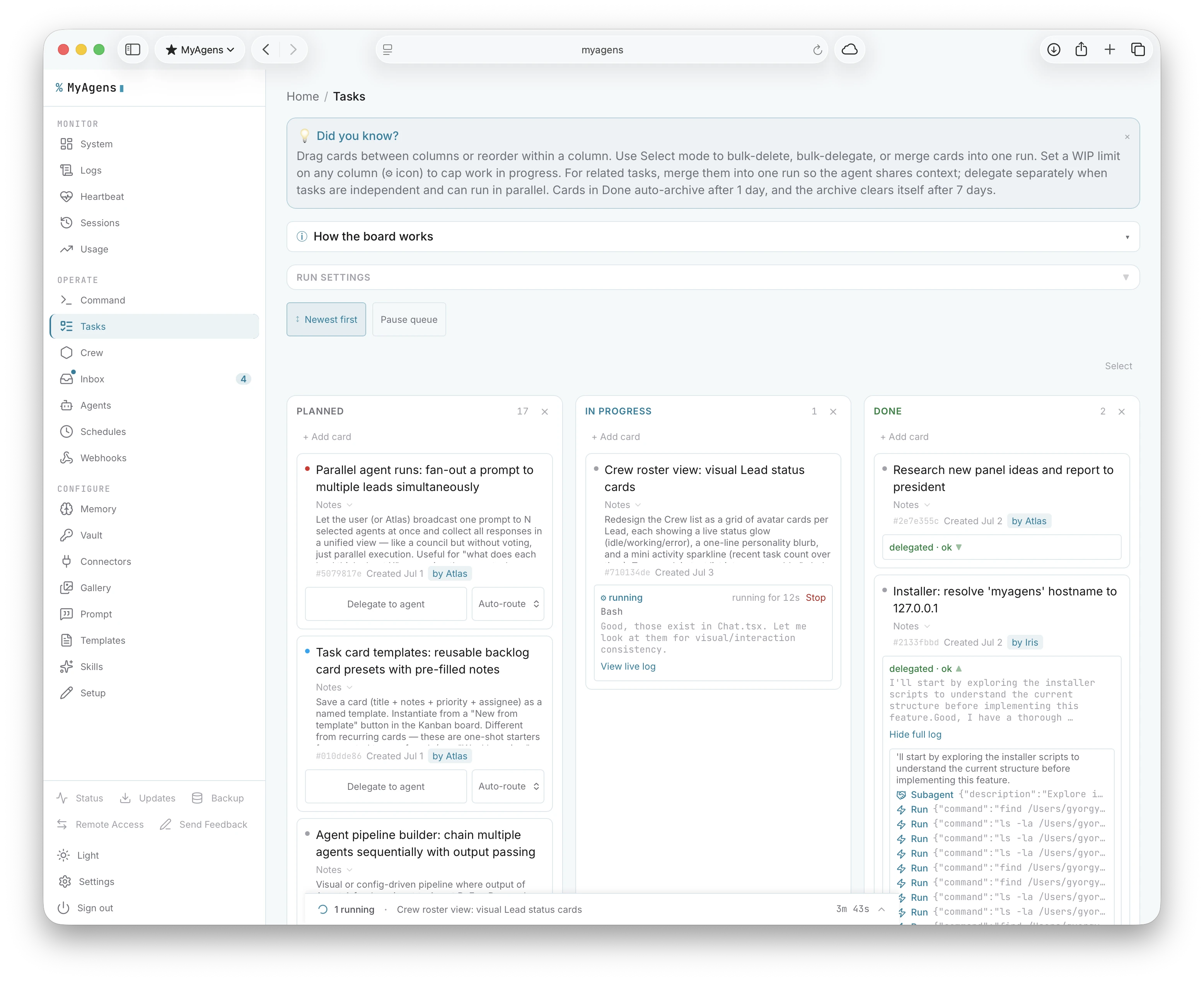
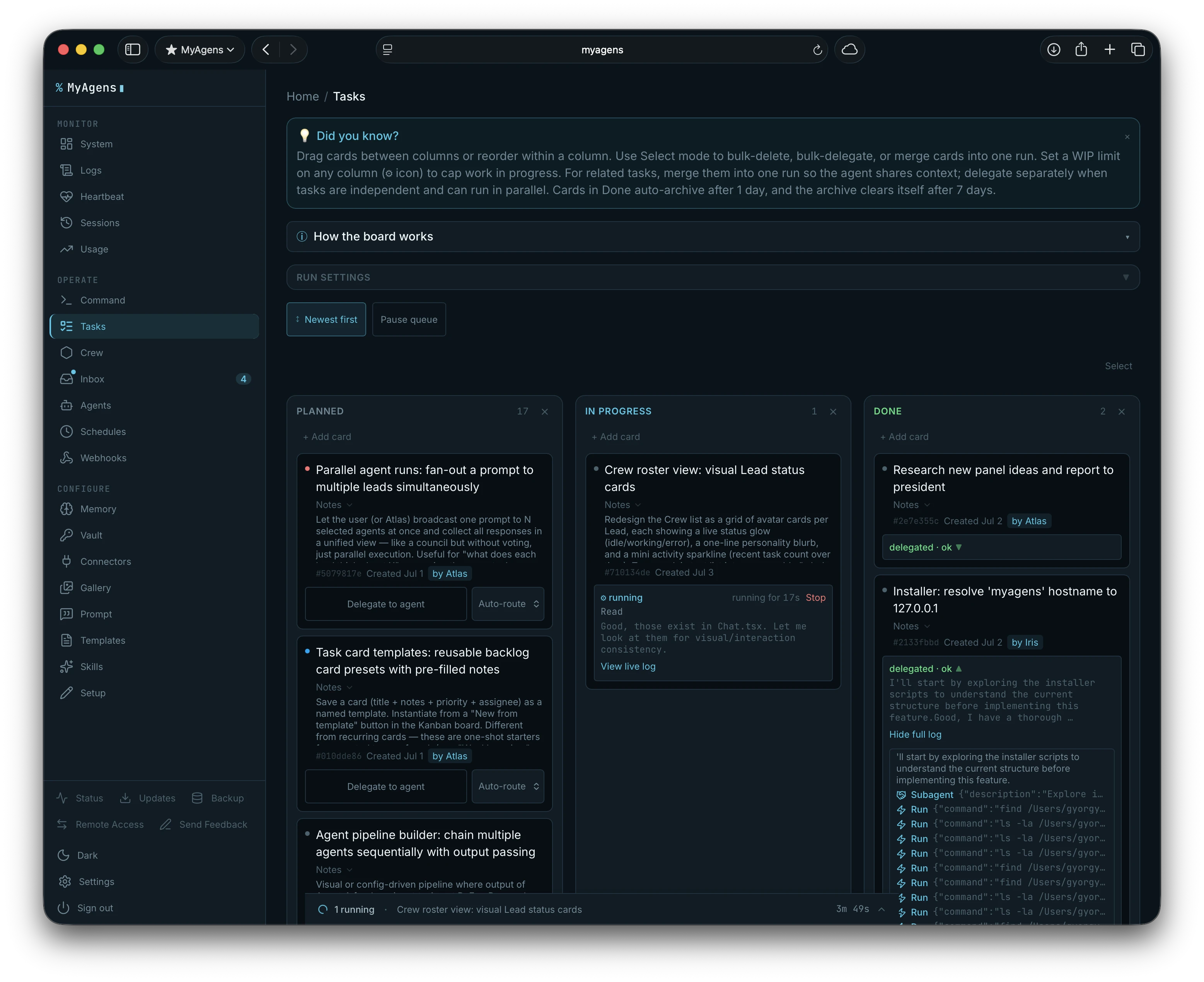
- A task board. A Kanban board (backlog, in progress, done) with drag-and-drop, priority, and WIP limits, and columns I can rename or add to from the board header. Delegate-to-agent is the part I use most: hand a card to an autonomous run, watch it stream progress, and have it close the card when it is done. Cards can also be saved as recurring templates on a daily, weekly, or monthly cadence, so a fresh backlog copy spawns on schedule while the template stays put.
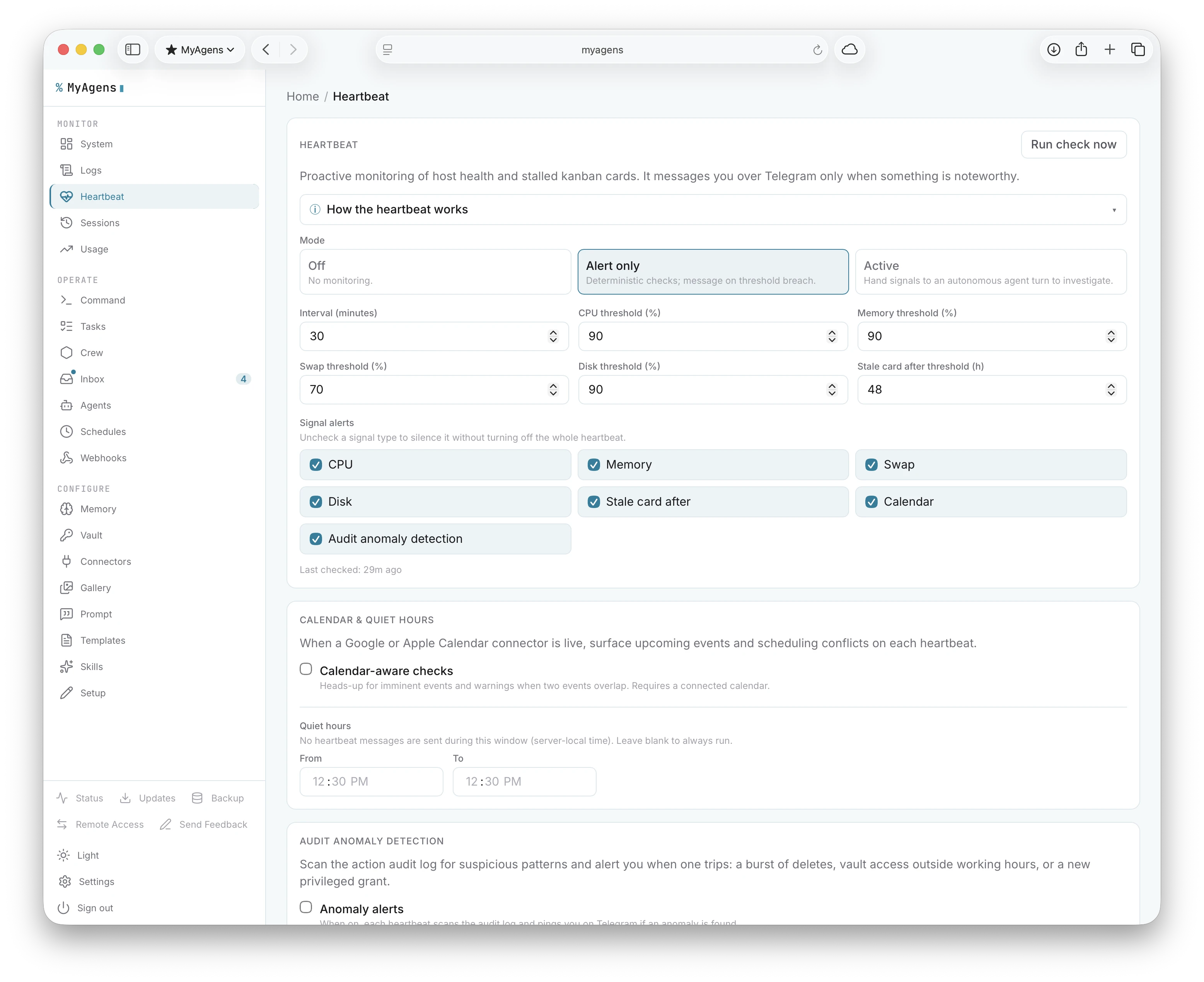
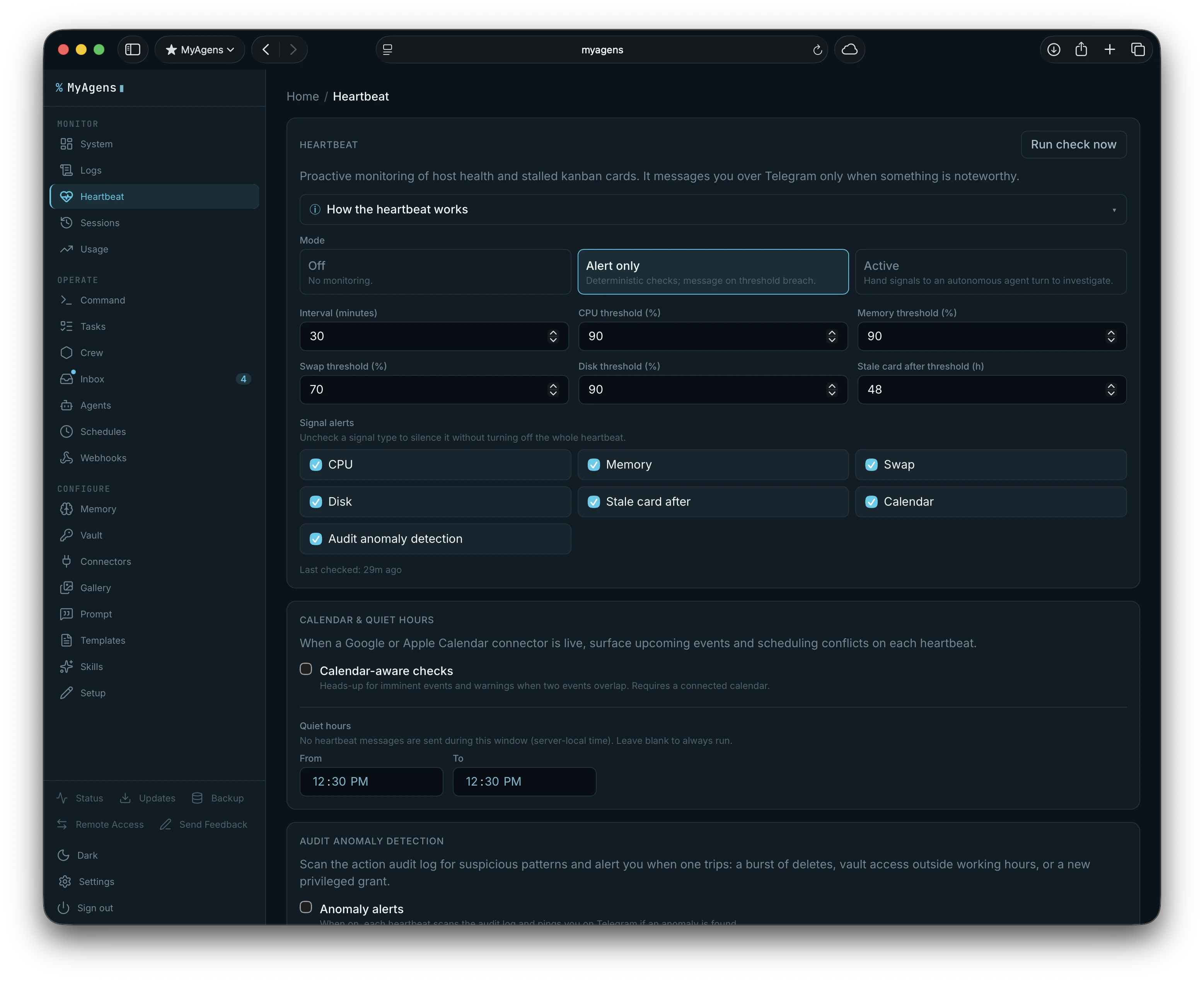
- Proactive heartbeat. Optional monitoring that watches CPU, memory, swap, disk, and IO. It alerts me on Telegram when something crosses a threshold, or investigates autonomously. Individual signals can be muted from the panel without disabling the whole thing, and quiet hours suppress alerts during a set window so I stop getting pings at 3am. When a calendar connector is enabled, the heartbeat also scans upcoming events and briefs Atlas before each one so he can prepare context or surface relevant files in advance.
Council votes.
/council <idea>puts a proposal to the whole team. Every enabled Lead evaluates it from their domain's perspective and votes SUPPORT or OPPOSE with a one-sentence reason. Each vote is weighted by how relevant the proposal is to that Lead's domain, so the DevOps Lead carries more weight on an infra call than the Finance Lead does, and the decision rule is configurable: simple majority by default, or supermajority, or unanimous. The tally comes back in Telegram; full session history lives in the panel Crew tab.Inline search, anywhere in Telegram. Type
@yourbotnamefollowed by a query in any Telegram chat, not just the bot's own, and the same semantic ranking runs over my own cards, skills, and memories, pasting the match as plain text. No need to switch to the bot's chat first. Agents run it before creating a card or saving a skill too, so the board and the library stop filling up with near-duplicates.Daily digest.
/digestreturns a tight summary of the last 24 hours of fleet activity: tasks completed, autonomous runs that succeeded or errored, memories written, skills saved, and what it all cost. One message to catch up on what the fleet did while I was not watching.Status on demand.
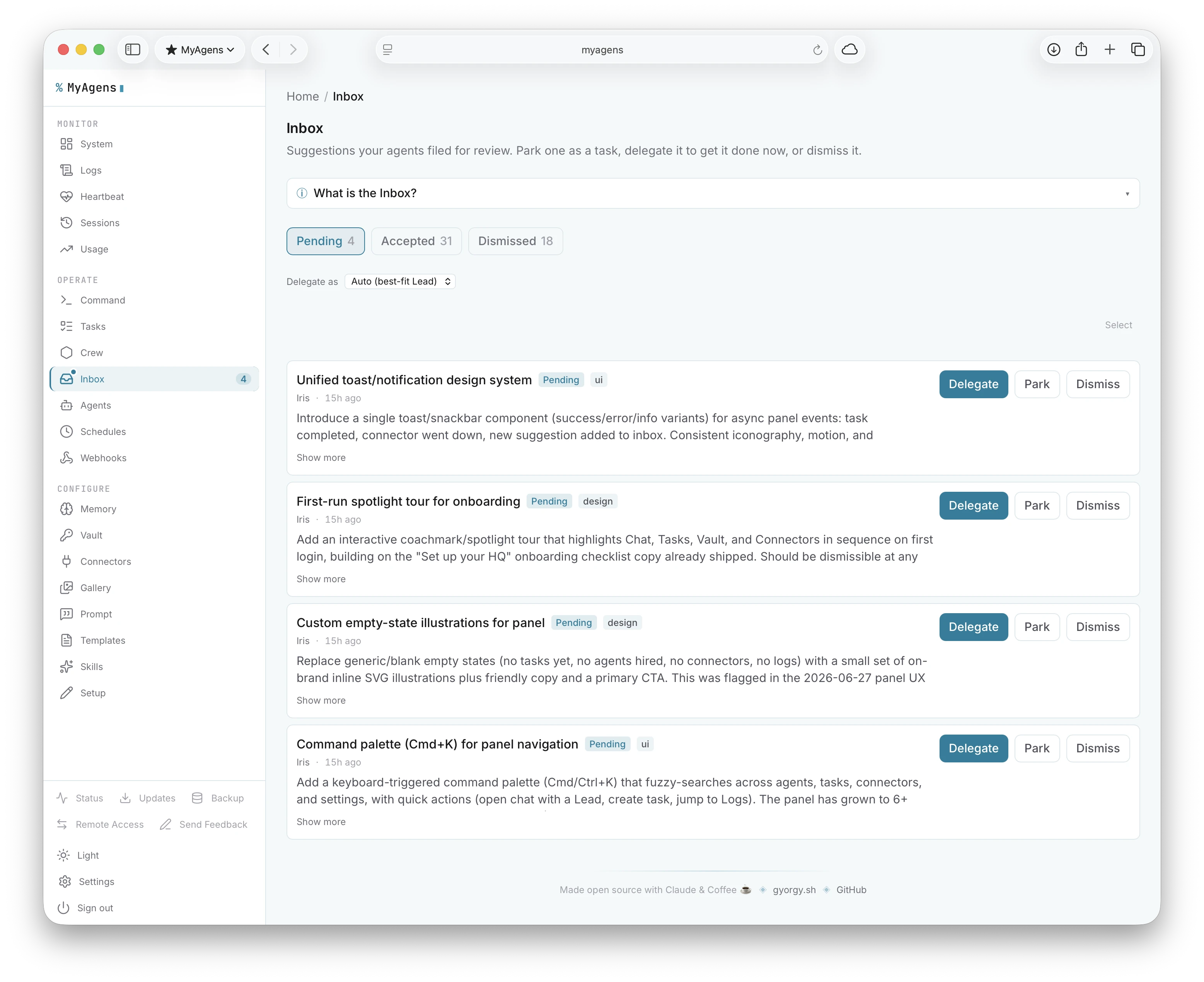
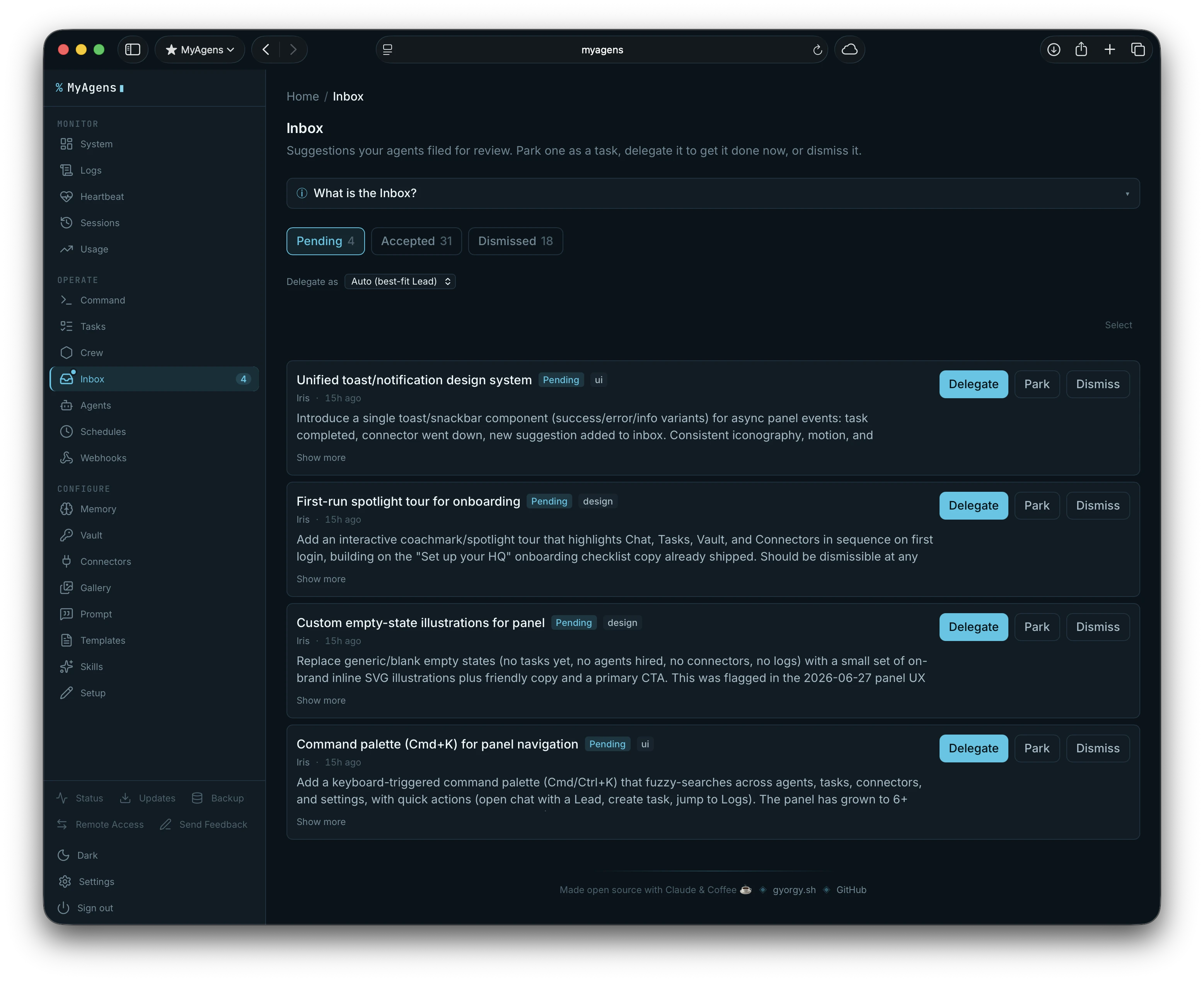
/pinganswers "am I online?" instantly from Atlas or any Lead, with idle or busy state, the current task, how long it has been running, and process uptime./teamasks Atlas for the whole roster at once: which Leads are connected to Telegram and which are busy.Suggestion inbox. Leads can file non-urgent ideas with
crew_suggestrather than interrupting the current turn. They queue up in a persistent inbox I review with/inbox: each suggestion gets Park (turns it into a backlog card), Delegate (files the card and routes it to a Lead immediately), or Dismiss. The panel Crew tab shows the same digest.
- Agents that talk to each other. Atlas can hand a subtask straight to a Lead, get their answer back inline, and fold it into his reply. A Lead can pause its own run to ask me a question, then continue once I answer, or file a report back up the chain. Every cross-agent handoff lands in a delegation log in the panel.
Personas. Atlas and each Lead can have a character preset (Concise, Warm, Formal, Analytical, Playful) or a fully custom one. Persona shapes tone; domain knowledge stays separate in the system prompt. Both combine naturally.
Speaks your language. Atlas and each Lead can answer in any of thirty languages, set globally, per-agent, or per-chat with
/lang. The panel interface itself ships in English and Hungarian.
An encrypted vault for secrets
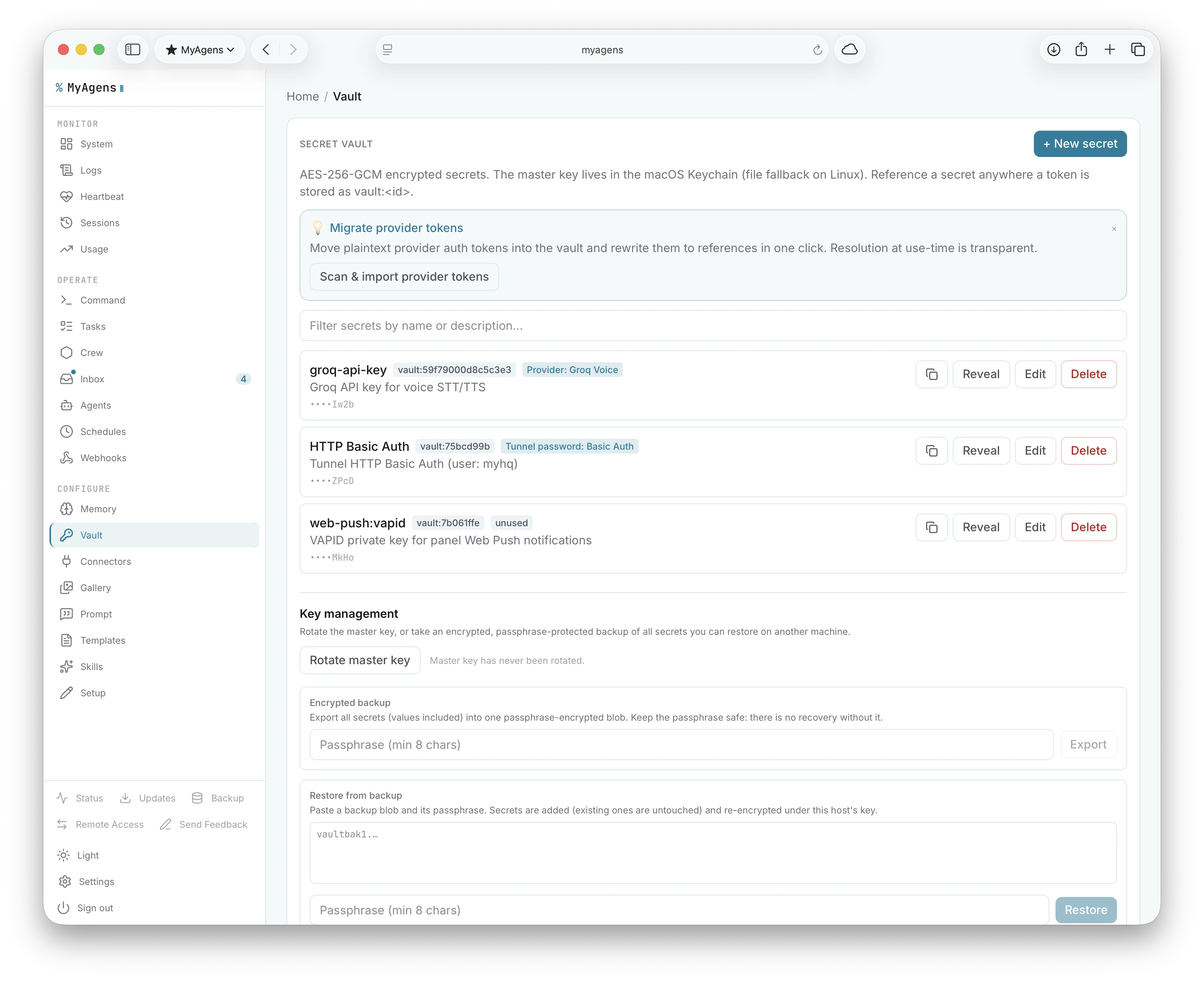
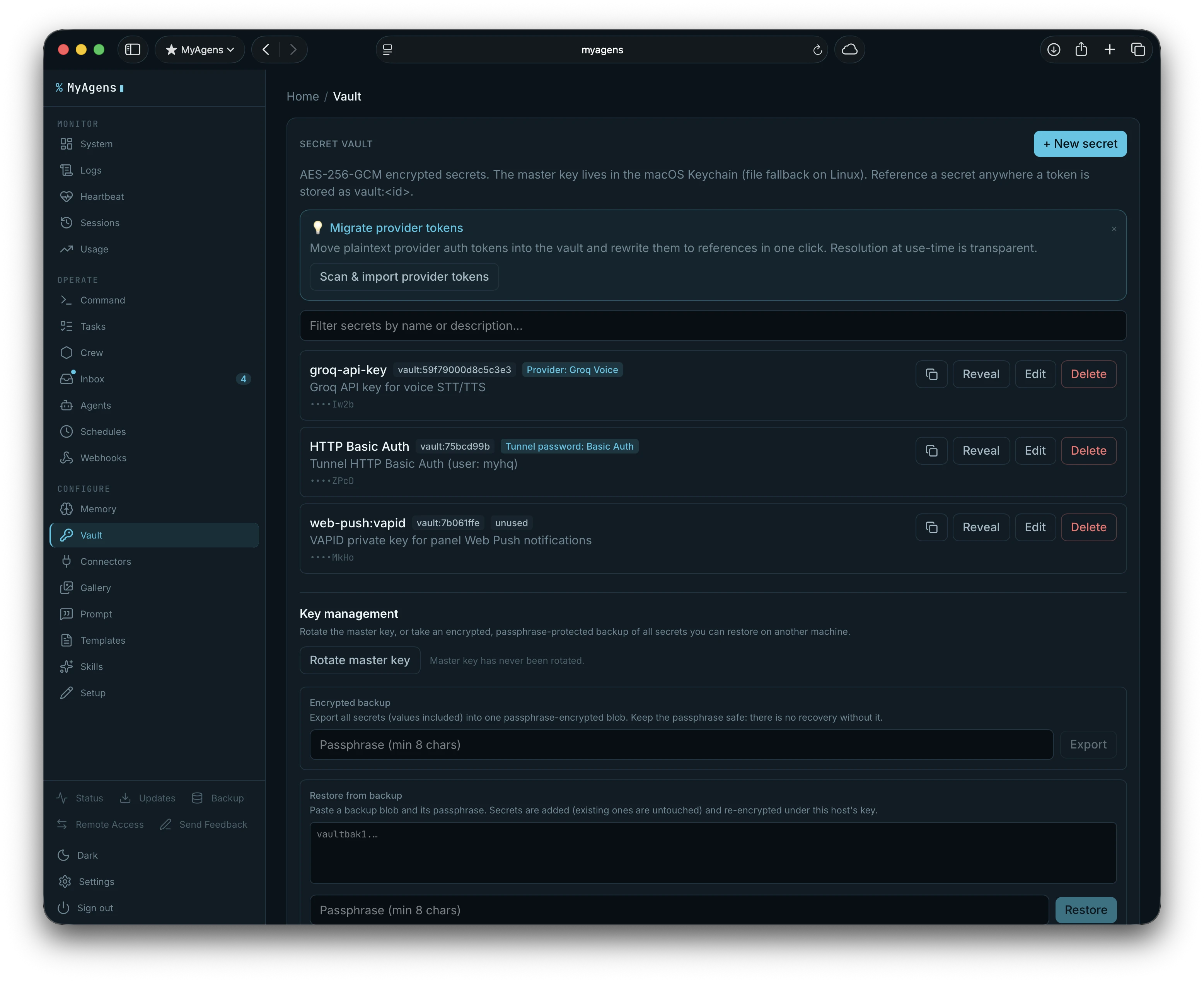
Because the agent does real work on real machines, it ended up needing real credentials. So there is now an encrypted vault. Secrets are stored with AES-256-GCM, the master key sits in the macOS Keychain (or a file fallback), and you can reveal, search, copy, and edit entries in the panel. A scan-and-import pass migrates plaintext tokens into vault:<id> references so they stop living in config files in the clear. Key rotation is crash-atomic: a write-ahead journal makes it recoverable if the process dies mid-rotation, so a secret can never be left half-re-encrypted. There is also an encrypted, passphrase-protected backup of the whole vault.
Connectors
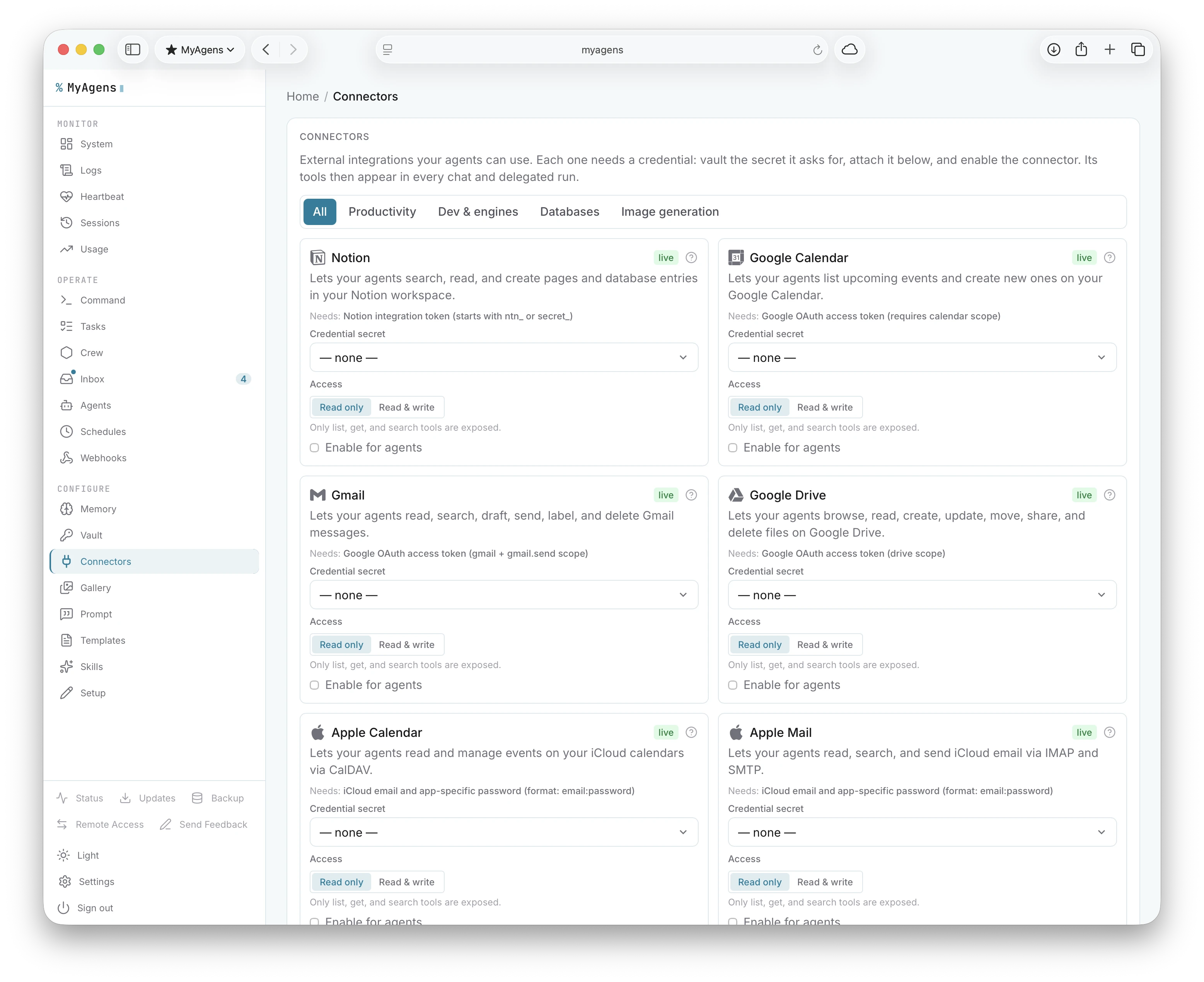
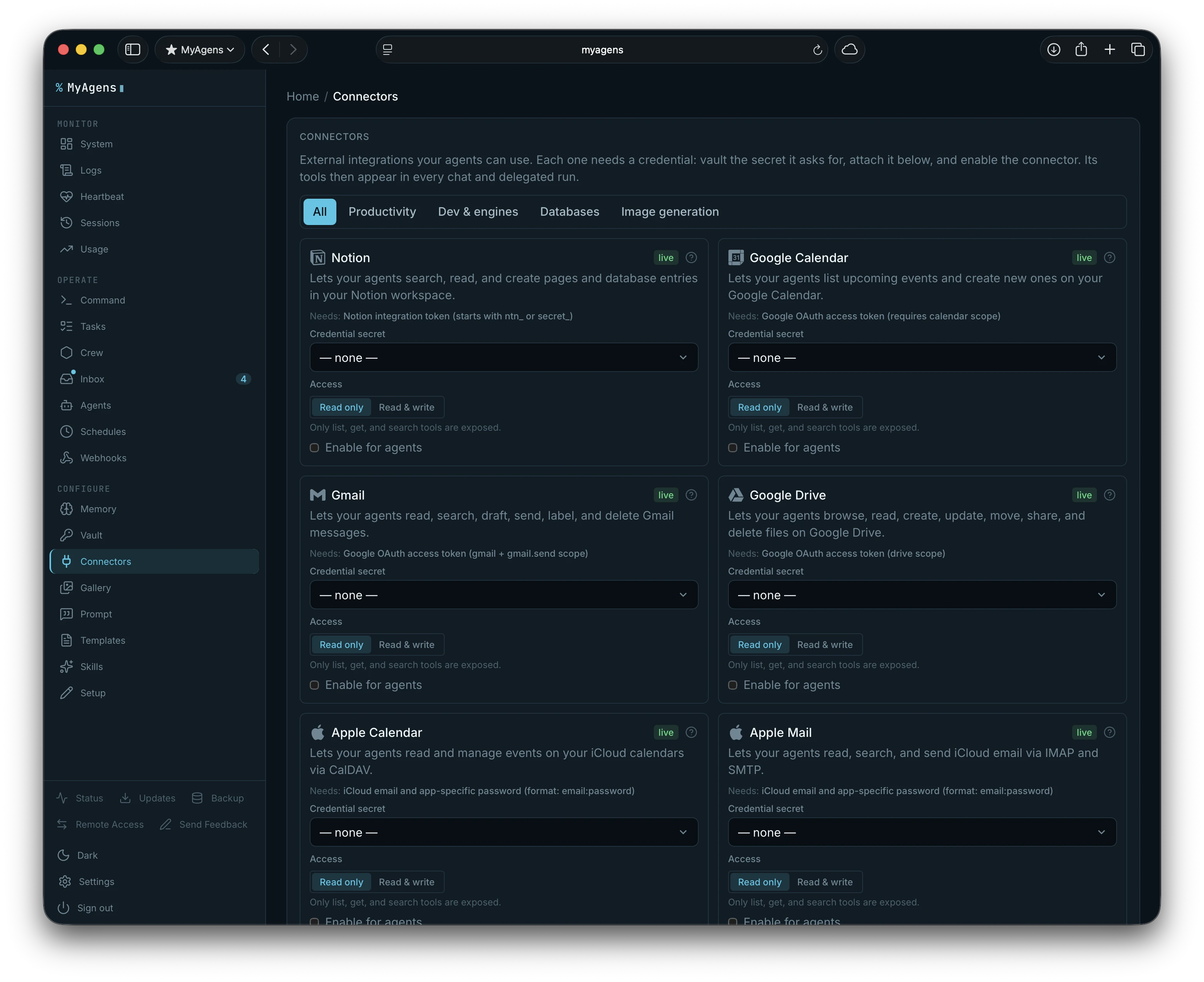
MyAgens can now reach into the services I actually use. Ten are live: Notion, Google Calendar, Gmail, Google Drive, Apple Calendar, Apple Mail, Slack, GitHub, Jira, and Linear. Each one shows up as real tools Atlas can call through the normal agent loop, with the same approval gates as everything else on the machine. Slack can list channels, read history, post and reply in threads, search, and upload files; GitHub can browse repos and issues, read and write files, open issues and pull requests, and comment. Jira and Linear are the two newest: list and search issues across projects, read one, create, comment, and move it through its workflow, so I can drive an issue tracker from the same chat that restarts a service.
Every connector has a read scope and a write scope I flip from the panel. Read scope exposes only lookup and list tools. Write scope adds create, send, move, and delete. Credentials live in the vault. Within that scope Atlas can find a meeting, draft an email, pull a document, post a Slack update, or open a GitHub issue. Connectors can also track their own credential freshness: set an optional expiry date and the panel badges it ok, expiring, or expired starting three days out, so an OAuth grant or Slack token does not die silently mid-task.
There is a whole social-media batch now too: Bluesky, Mastodon, Discord, Reddit, and X, each with multi-account support, plus YouTube and Facebook Pages for media. Same read and write scopes as the rest, read scope lists and searches, write scope posts, replies, and manages.
There are also database connectors for PostgreSQL and SQLite, so Atlas can query my own data directly. The same read and write scope applies: read scope keeps it to SELECT and inspecting the schema, write scope unlocks INSERT, UPDATE, and DELETE.
There is image generation too. Point it at Replicate, fal.ai, or a local Automatic1111 endpoint and Atlas or any Lead can turn a text prompt into a picture, available to delegated task runs the same way. Everything it makes lands in a persistent gallery with its own panel view, so a run that generates an image leaves it somewhere I can find later instead of a one-off attachment that scrolls away.
When an agent is building something for the web, a browser sketchpad lets it open a page, take a screenshot, and actually look at its own work instead of writing markup blind.
Two more landed recently, and they are a different flavour: Unity and Unreal Engine, wired in over MCP. Instead of a SaaS API they hook into a running editor on the machine, so I can point Atlas at a live game project and have it reach into the editor from the same chat, with the same approval gates as everything else here.
For the services that do not have a first-class connector yet, there is a generic webhook connector: register any HTTP endpoint in the panel and it surfaces to the agent as a callable tool, with requests passing through an SSRF guard and an auth header that can reference a vault secret so tokens never sit in plaintext. And it works the other way too: inbound webhook triggers give an external service a private URL to hit, authenticated by a per-trigger HMAC signature, that kicks off an autonomous run. A fired trigger files a backlog card and delegates it down the normal path, with the incoming payload handed to the agent. So something happening elsewhere, a deploy finishing or an alert firing, can wake the fleet up on its own.
The things that were already good
The original pieces are still here and still the core of how it feels to use.
- Live streaming replies. Output streams back as the agent works and finalizes as a formatted message.
- Voice notes. I can record instead of type; it gets transcribed before the agent sees it, through an OpenAI-compatible API (OpenAI or Groq's free tier), xAI's endpoint, or a fully local offline Vosk model. Toggle
/voice onand Atlas speaks its replies back as voice messages too, via OpenAI TTS, xAI TTS, or a fully local Piper voice model with no API key needed. - Git built in.
/diffshows the working changes with inline commit or discard buttons, and/commit <msg>commits without leaving the chat. - Files and images. Upload a file or a photo and the agent reads it, image vision included, and it can send files back.
- Project switching.
/projectsand/cdmove it between saved working directories. - Live model switching.
/modelswaps Atlas between Opus, Sonnet, Haiku, or any local model I have wired up, with one tap, effective on the next message. - Session resume. Context carries across messages and survives a restart. The first message after a deploy or reboot offers to pick up the old conversation or start fresh, so an update never silently drops where I was.
- Rescue command.
/reloadre-reads config and restarts the fleet's internals in place when something wedges, so I can recover it from Telegram without opening an SSH session. - Usage tracking.
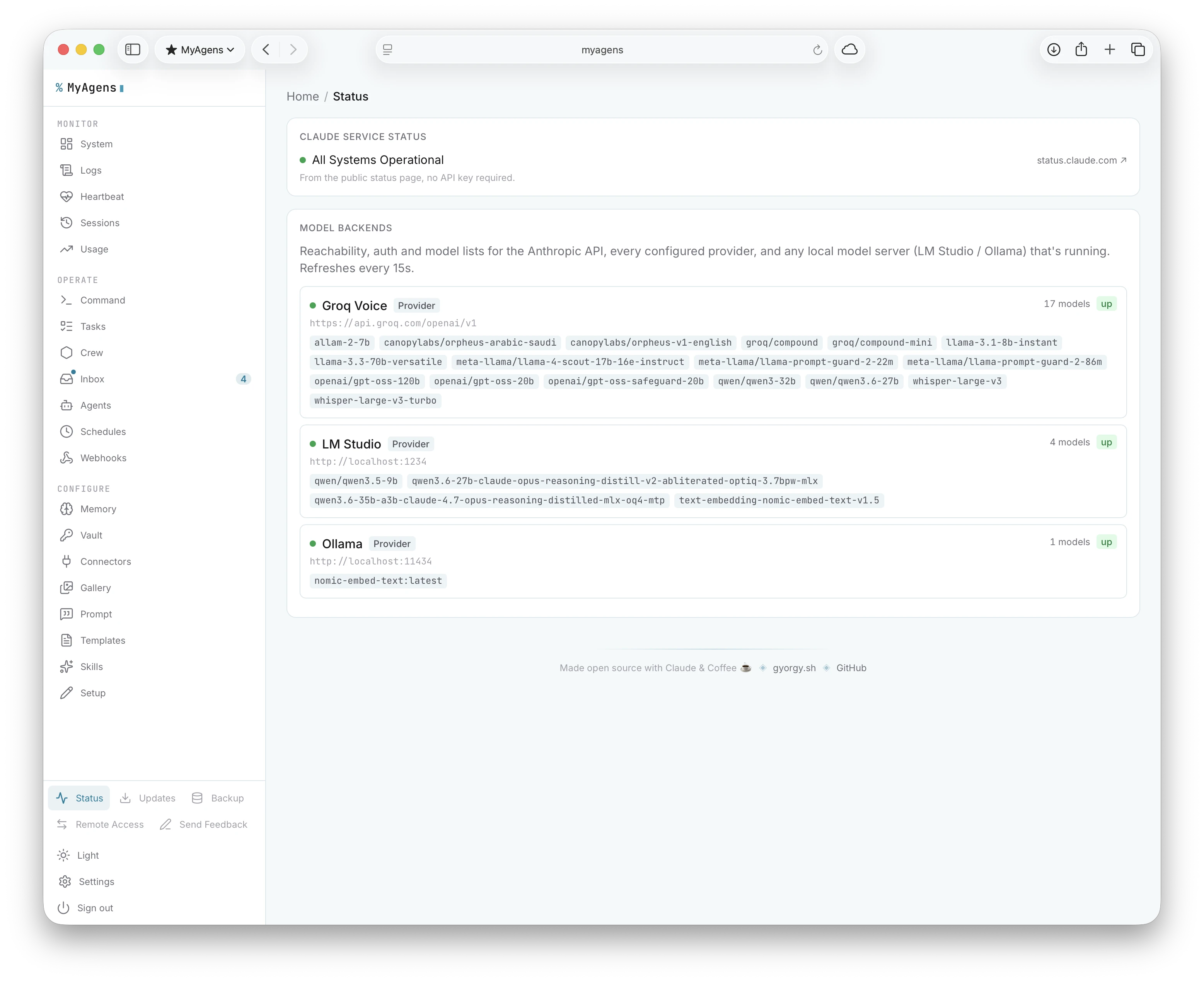
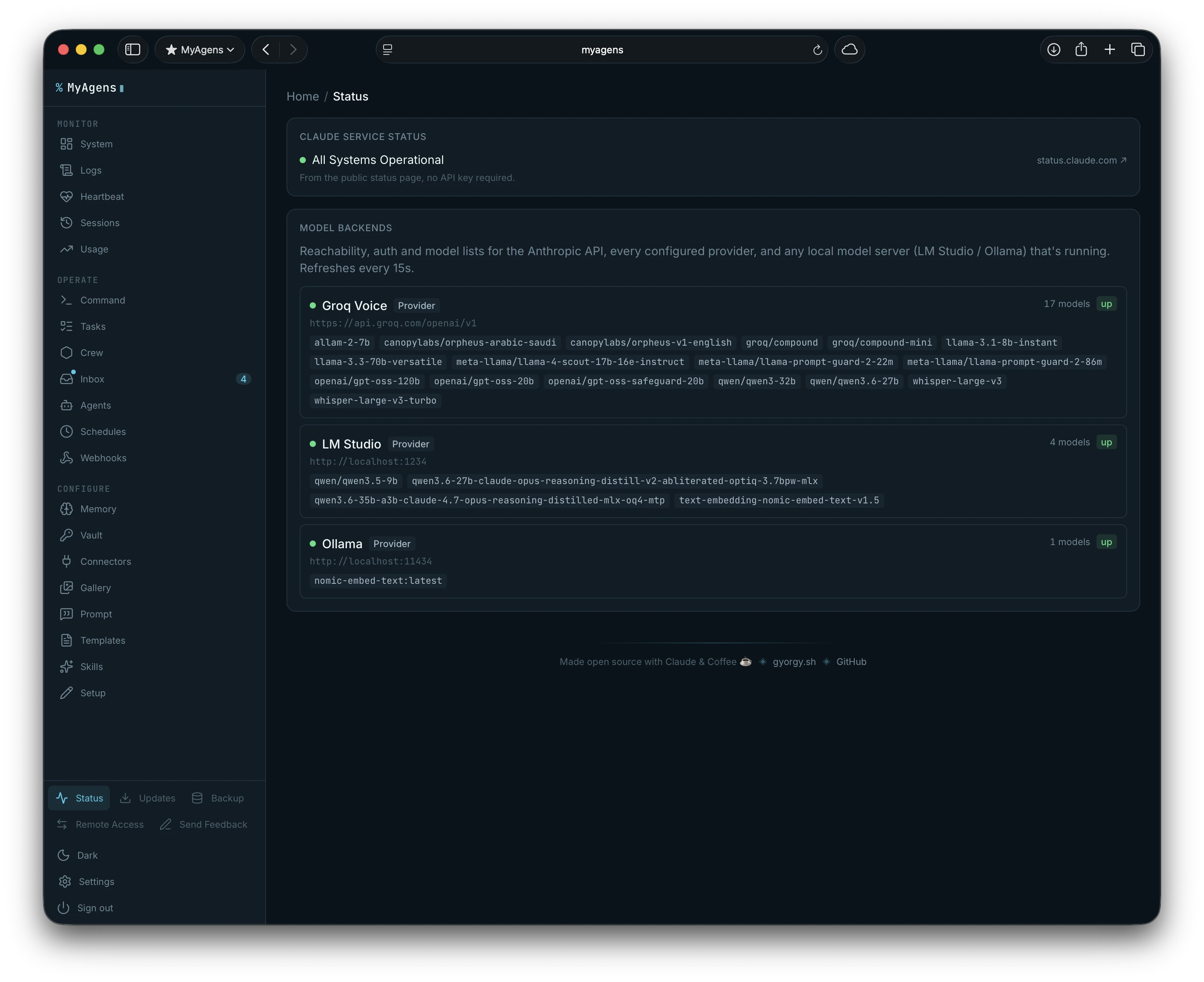
/usagereports session and lifetime cost per chat. The panel pulls live 5-hour session and 7-day weekly limit percentages directly from Anthropic's OAuth API using the credentials the Claude CLI already stores in your Keychain, so no extra setup is needed. Subscription type is auto-detected. API users can also set a monthly budget cap with Telegram alerts at any threshold. - Local models. Point it at an Anthropic-compatible endpoint (LM Studio, Ollama, a proxy) and run the whole thing, or just some Leads, off a local model.
- Other agent backends. Any Lead, worker, or Atlas himself can run on xAI's Grok CLI or OpenAI's Codex CLI instead of the Claude Agent SDK, wrapping that provider's own agentic CLI, its tool belt, sandboxing, and permission modes, rather than reimplementing a tool loop from scratch. Claude stays the default everywhere; switching is
/model <backendId>in Telegram, or a small "AI backend" selector next to Model in the panel's Settings and Worker form. Codex's backend surfaces real tool-call events and token usage; Grok's gives streaming and session resume without that visibility yet. - Fail-over that keeps it running. Every agent carries its own fallback, and it can be a whole different backend (Ollama, Grok, or Codex), not just a second Claude provider. Background and scheduled turns move to it automatically when the usage probe crosses the rate limit, and if a turn hits a usage or rate-limit error mid-flight, interactive ones included, it retries once on the fallback on the spot and tells me in the chat.
How the permission model works
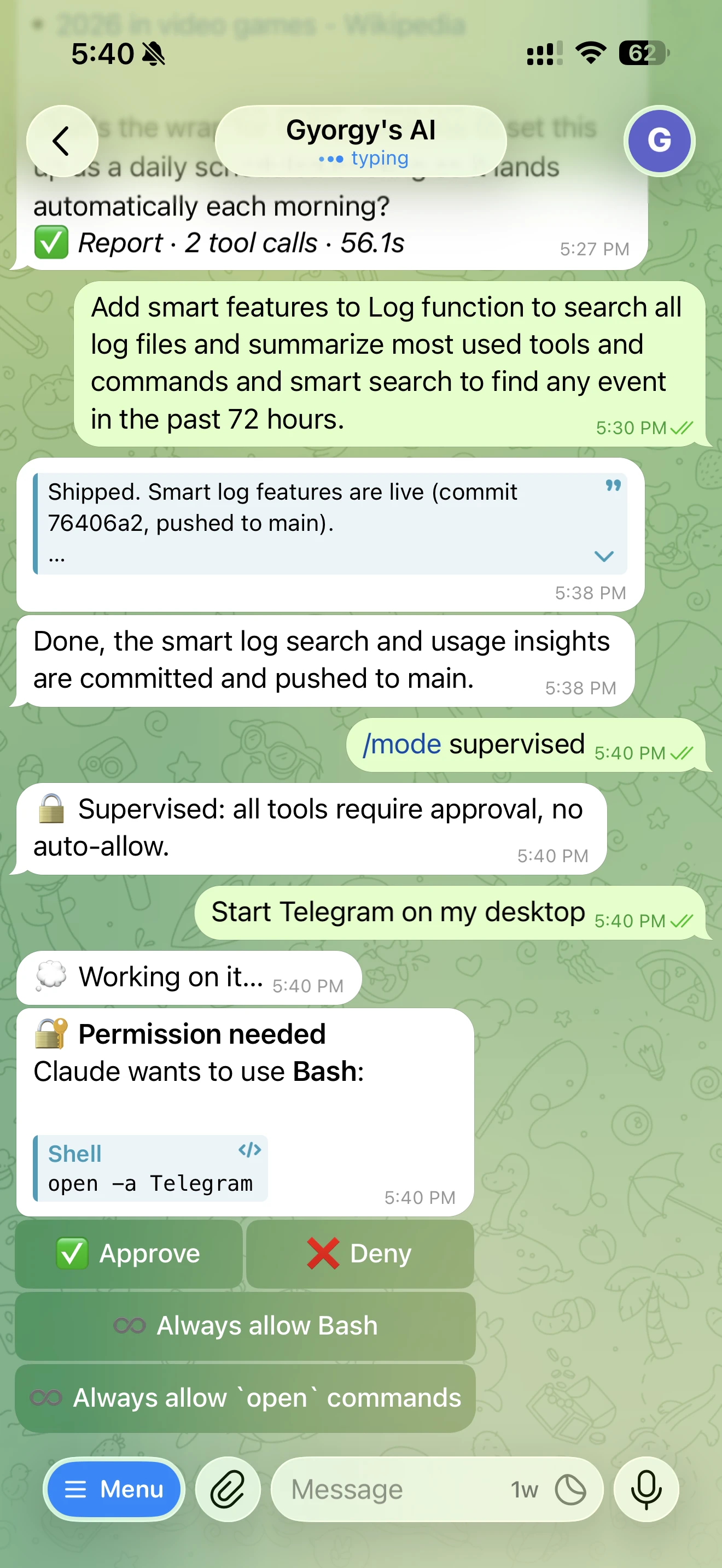
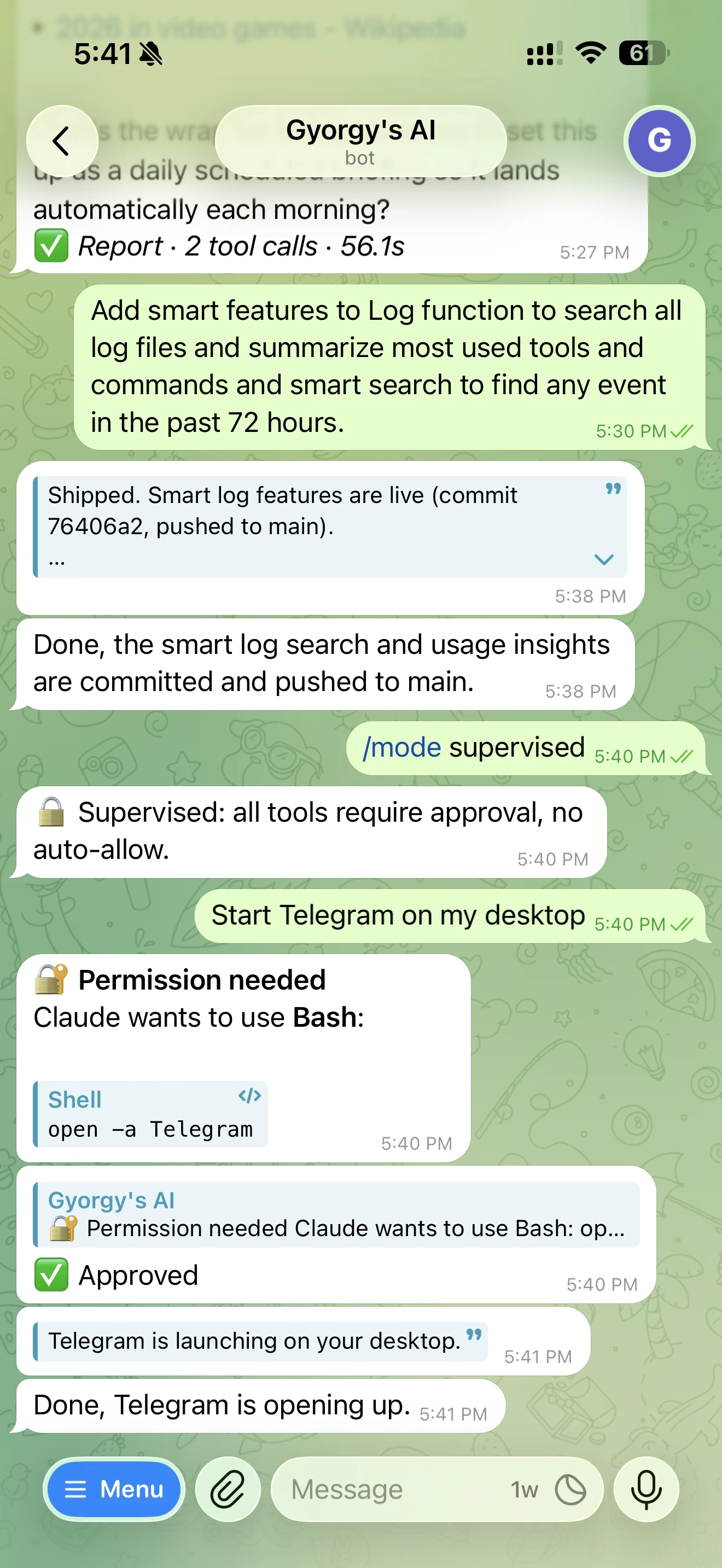
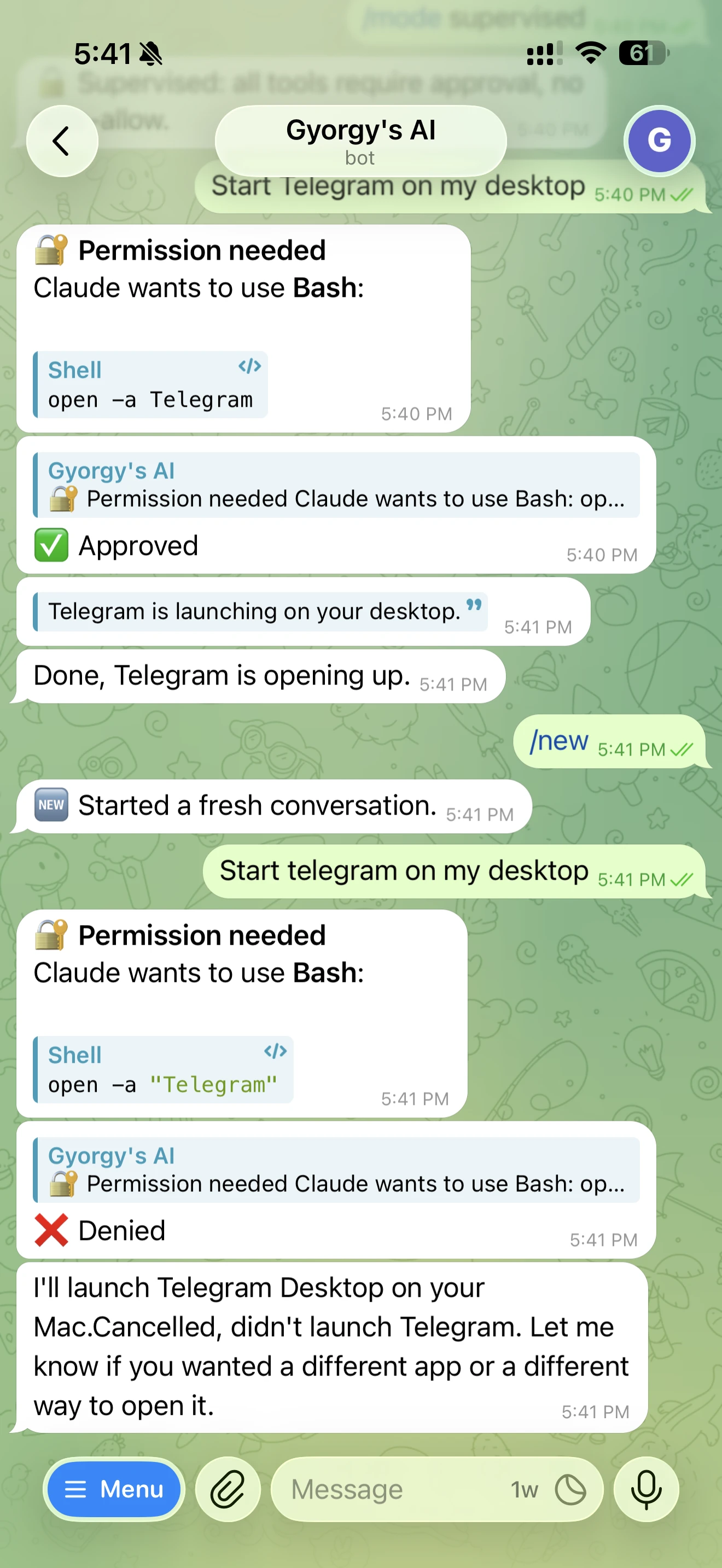
The part I was careful about from day one is access control, and it has not loosened as the feature list grew. The agent distinguishes between read-only and write operations. Checking status, reading logs, listing files: these run automatically. Anything that modifies the system, restarts a service, changes a config, touches a crontab, requires an explicit tap. The bot sends inline buttons (approve, deny, or always allow this tool) and if I do not respond within the timeout it denies the action automatically. The "always allow" choice sticks, so a tool I trust stops prompting on the next run, and those presets survive a restart. When a burst of calls stacks up, the prompts grow an "allow all" and "deny all" button.
The autonomy level is set per chat with /mode, and there are three:
- supervised: every tool call prompts, nothing runs automatically.
- standard: read-only tools run freely, write operations prompt. The default.
- full: no prompts, for trusted autonomous runs.
Underneath all of this there is a loop guard. If the agent fires the exact same tool call a few times in a row, MyAgens catches the runaway: an interactive turn asks whether to skip it, approve it once, or carry on, and a fully autonomous turn just stops itself and pings me, so a stuck retry can never quietly burn tokens while I am not watching.
There is also a dry-run mode for when I want to know what an autonomous run would do before letting it act. In dry-run, all mutating tools are intercepted and described rather than executed: "would run X", "would write Y". Toggle it from the Settings tab or the API.
And everything the fleet does now lands in an append-only audit log I can search in the panel by who acted, what they touched, and what action they took, exportable as NDJSON. A deterministic anomaly detector reads the recent log for suspicious shapes, delete bursts, vault access outside working hours, a new privileged grant, and raises anything it finds through the same heartbeat and Telegram alert path. The fleet flags its own odd behaviour instead of me having to notice it.
Together this means I can ask it to "figure out why the website service is throwing errors" without worrying that it will silently restart half the system, or spin on a failing command, while I am not watching.
Locking down who can reach it
Approval gates control what the agent does once you are talking to it. The other half is making sure nobody else gets to talk to it at all, so the bot stacks a few layers of its own, and the web panel is gated separately by its own token.
There is one more layer worth turning on, and it lives in Telegram itself rather than in the code. BotFather can stop your bot from even appearing for anyone but you, so an unknown user cannot start a conversation in the first place. In the BotFather mini app: open your bot > Bot Settings, scroll to the bottom to Access, and turn on Restrict bot usage.
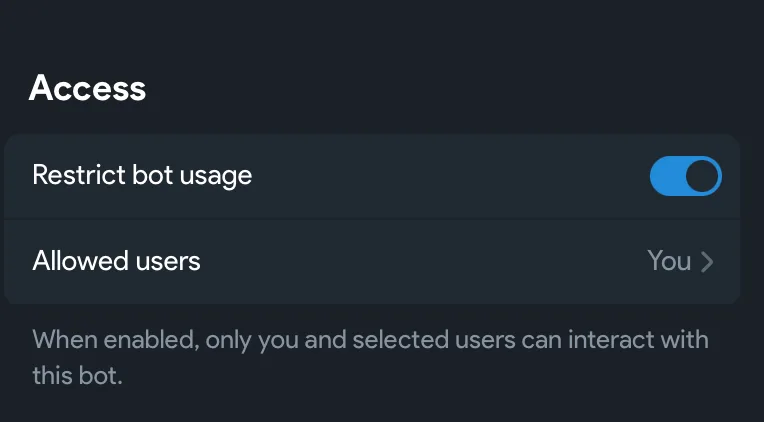
Security memo. Defence in depth, all the way down: BotFather's "Restrict bot usage" so only you can open the bot, the
ALLOWED_USER_IDSallow-list so only your chat ID is answered, ignored cold messages, refused group invites, a separate token on the web panel, and an encrypted vault for the secrets the agent uses. The fleet polices itself too: a delegated run can never escalate its own autonomy (a child run is capped at the caller's level), and a separate rate limit guards the heavy read endpoints like memory search and log reads so a runaway client cannot flood them. Each layer is cheap, and together they mean no one but you can reach an agent that has a shell on your server.
Getting it running
The whole thing installs from one paste. On macOS and Linux the terminal only does the boring part (Node 20+, git, the Claude CLI, clone, build), then a setup page opens in your browser: create your bot with BotFather and paste the token, press START in its chat and the page recognizes you (no numeric IDs to hunt down), connect Claude with a subscription sign-in or an API key, and launch. Every value is verified live before it is saved, so a typo cannot survive setup, and it finishes signed in to the panel with the agent saying hi on Telegram. There's a step-by-step with screenshots at myagens.com/install.
Linux / macOS:
curl -fsSL https://myagens.com/install.sh | bash -s -- --browser
On a headless server (SSH, no browser), drop the --browser flag and the same script becomes the classic fully-in-terminal wizard, which also covers the optional extras like voice transcription inline. Either way it offers to register a background service so the fleet comes back on reboot. First run then opens an Easy setup wizard in the panel: pick a preset goal and it wires up a starter crew and config to match, so a fresh instance is useful in a couple of minutes instead of a blank slate.
On Windows, open PowerShell as Administrator, then paste these two lines:
Set-ExecutionPolicy -Scope Process -ExecutionPolicy Bypass -Force
irm https://myagens.com/install.ps1 | iex
The first line lets PowerShell run the npm and claude script shims for the session only; Windows blocks them by default, and nothing is persisted. The Windows installer uses winget for Node.js and Git and creates an NSSM service.
That is genuinely all most setups need. For the rest, the manual install, the full list of config and environment variables, the panel options, local-model wiring, and the service scripts, the README on GitHub is the source of truth and stays current as the project moves. The one-page overview lives at myagens.com.
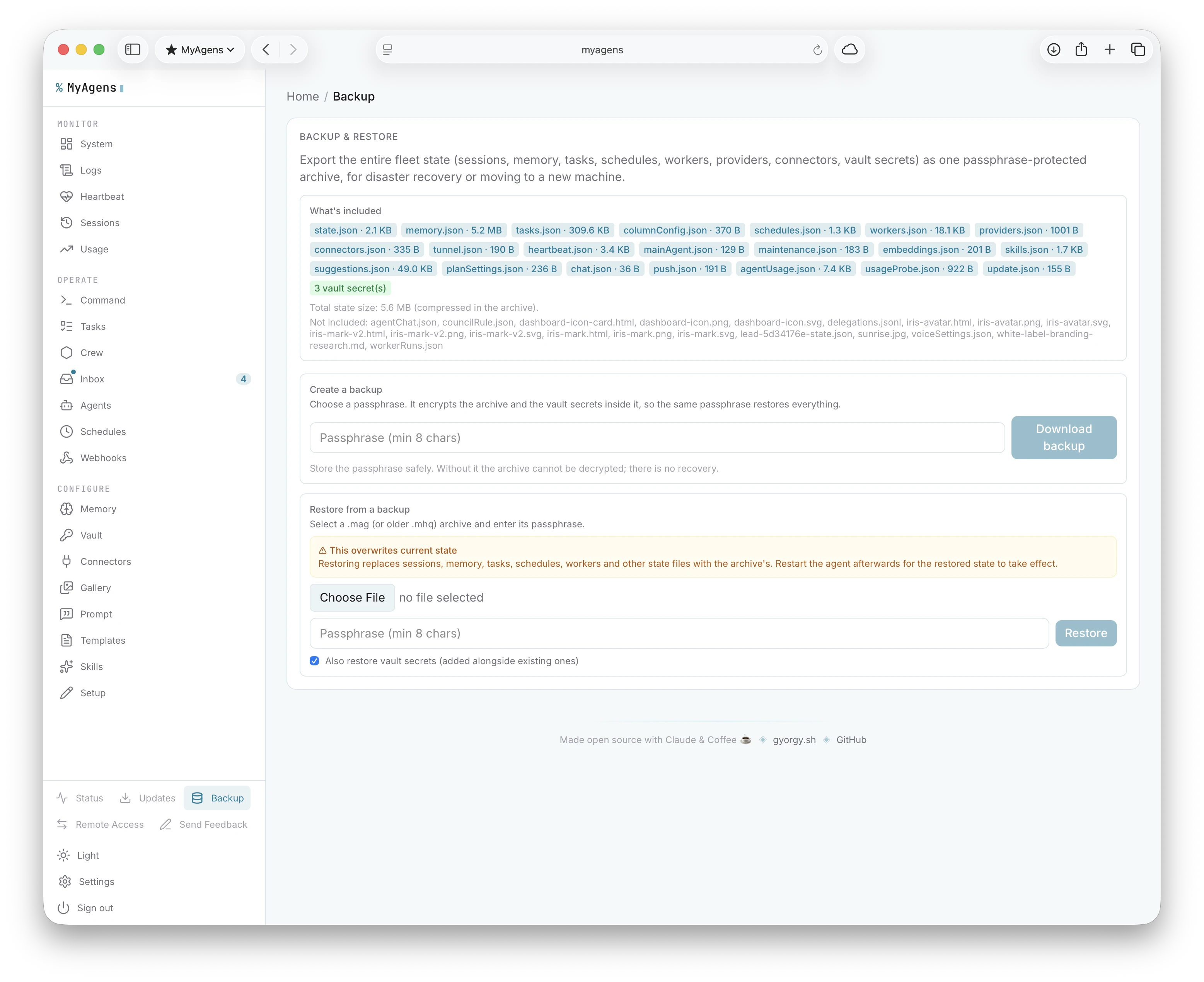
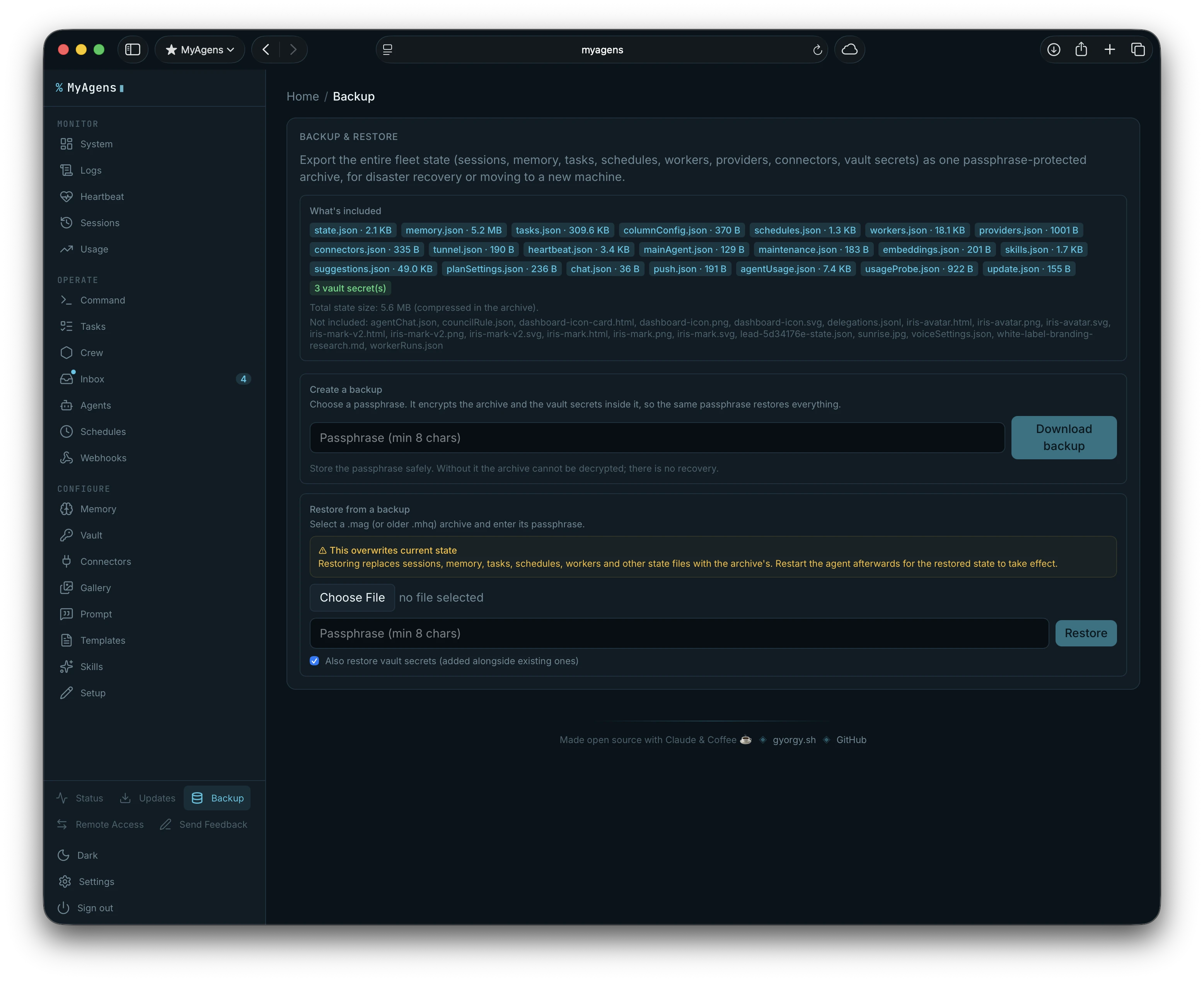
Once it is running, the whole fleet state, sessions, memory, tasks, schedules, workers, providers, connectors, and the vault secrets, exports into one passphrase-protected archive, so disaster recovery or moving to a new machine is a single file and a passphrase.
How it relates to Claude Code's remote control
Claude Code has a remote control protocol built in, documented at code.claude.com/docs/en/remote-control, that lets you connect to a hosted Claude Code session from the Claude desktop or web app. MyAgens started from the same impulse, but the two are not really the same thing anymore.
MyAgens is its own agent runtime: Atlas runs persistently on your machine as a coordinator, Leads own domains with their own memory and Telegram bots, the panel gives you a full operator view, and the fleet keeps running autonomously whether or not you have the Claude app open. It uses Claude models under the hood, but the hierarchy, memory, scheduling, vault, and monitoring all live outside Claude Code entirely.
The two do meet at one point now: turn on tmux mode and Remote Control for an agent (see above) and you can watch and take over that agent's live session from claude.ai or the mobile app, the same protocol, pointed at one of your persistent agents instead of an ephemeral session. So the built-in remote control becomes one lens onto the fleet, rather than a separate thing.
If all you want is to reach a single Claude Code session from another device, the built-in protocol on its own is the right tool. If you want a persistent headquarters with a crew of specialist agents, a task board, and proactive monitoring, that is a different scope, and MyAgens is that.
It is open source
MyAgens is open source under GPL-3.0, with no seat limits and no telemetry, so clone it, try it on your own machines, and tell me what breaks. You can white-label the whole panel too, your own product name, logo, accent, even a custom theme you describe and let it draft, so it does not have to look like mine. It is still shaped around how I happen to use it, and most of what it can do now started as something I wanted mid-task, so issues, ideas, and pull requests are all welcome. I will keep improving it as I keep using it and run into new things I want it to do.