The tools I use for agentic work
For a long time the IDE was the centre of how I worked. I opened a project, the editor filled the screen, and everything happened inside it. That has flipped. Most of my day now runs through a coding agent in a terminal, and the editor is just where I read the diff afterwards. Agentic work has quietly become the new IDE.
Once the terminal is the workbench, the tools around it matter more than the ones inside a single app. This is the software I actually reach for, and why each one earned its spot.
Pick your agent, any provider
The first thing worth saying is that you are not locked to one company. The good coding agents all ship as a command-line tool now, and they are close enough that the choice is mostly taste and whichever subscription you already pay for.
- Claude is Claude Code, the CLI. It is my default as I write this and where I spend most of the day, though I stay open to trying the others as they keep getting better.
- OpenAI is Codex CLI.
- xAI is the Grok CLI.
If you want simplicity there are GUI apps for most of these too, and they are perfectly good for a quick question or a one-off edit. But I keep coming back to the terminal for one reason: it does more than one thing at once. Every terminal worth using has tabs, so I run a different project in each tab and let several agents work in parallel, one refactoring while another writes tests while a third reads through a log. A window full of tabs is a window full of agents.
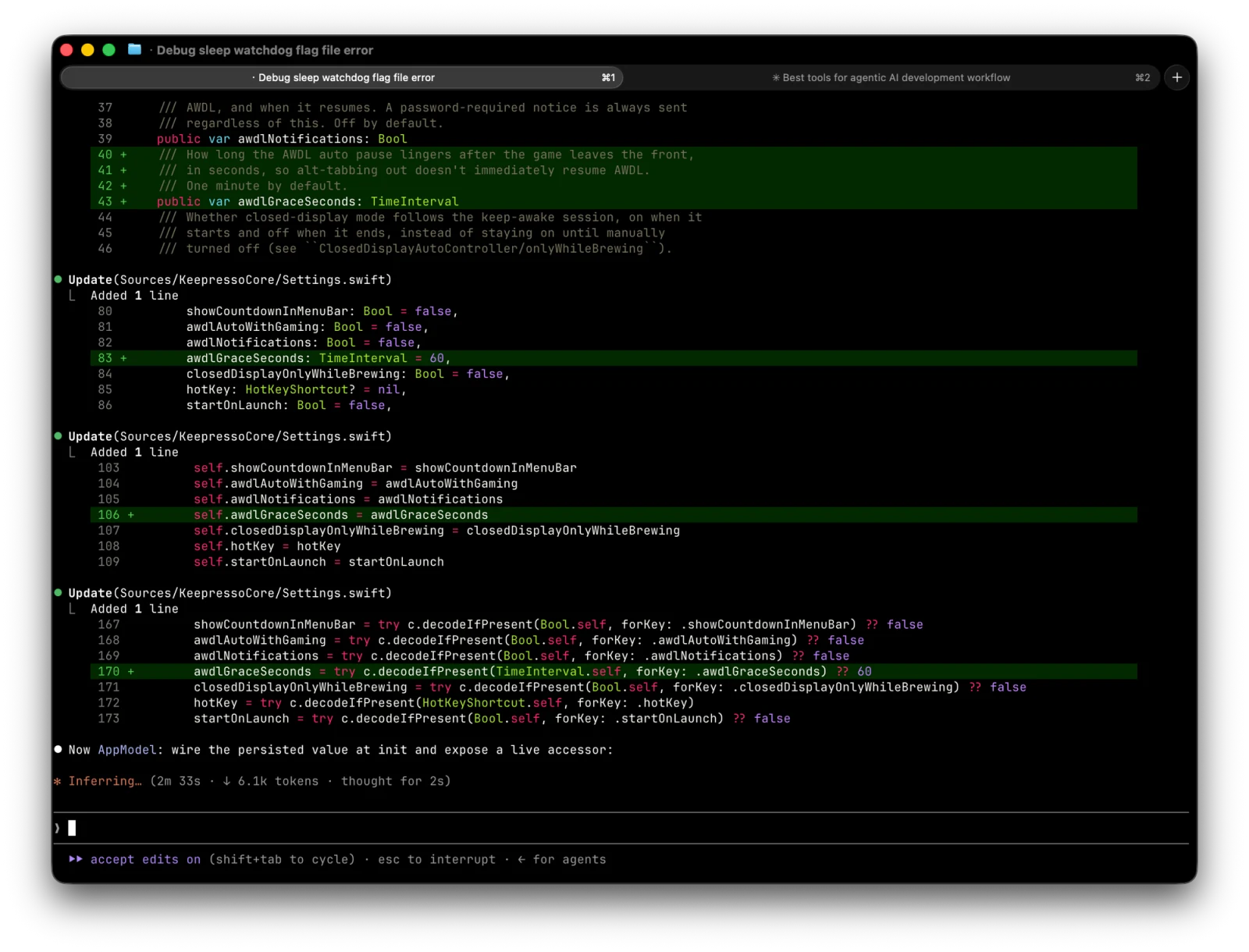
The terminal also gives you the small controls that matter when a session runs long. In Claude Code, /clear wipes the context and starts fresh when a conversation has wandered, and /compact summarises the history down so you keep the useful state without dragging the whole transcript into every turn. Little shortcuts like that are the difference between an agent that stays sharp and one that slowly fills up with noise.
And none of this has to run in the cloud. The same CLI will happily drive a model on your own machine, which is a whole post on its own: running Claude Code on local models with LM Studio and Ollama.
A terminal worth living in: Ghostty
If the terminal is the new IDE, the default macOS Terminal is not the tool for the job. I replaced it with Ghostty, and it is one of those swaps you feel immediately.
Ghostty renders through the GPU (Metal on macOS), so text paints on the graphics card and leaves the CPU free for the work you actually started. Scrollback, a chatty agent spewing output, a full-screen TUI: all of it stays smooth where the old terminal would stutter. It is a native app too, with real tabs and splits, so the multiple-sessions habit above feels first-class instead of bolted on.
The config is refreshingly plain. It lives at ~/.config/ghostty/config as simple key-value lines, no scripting language to learn. Mine starts about this small:
background = 000000
cursor-color = ffffff
working-directory = ~/Desktop/git
That is a black background, a white cursor, and every new window opening straight in the folder where my repos live, so I am one cd closer to work before I have typed anything. You can theme it however you like from there, but even three lines makes it yours.
The editor for reading the diff: Zed
The agent writes most of the code now, but I still want a real editor open next to it, to read the diff, jump into a file the agent flagged, or make the small hand-edit that is faster to type than to describe. For a long time that was the usual heavyweight IDE. Now it is Zed, and it fits the terminal-first way of working far better than the thing it replaced.
Zed is built the same way Ghostty is: written in Rust from scratch, rendered on the GPU through its own UI framework (GPUI), and native on macOS rather than a web app in a desktop wrapper. You feel it the moment you type. Boot is instant, the cursor never lags behind the keys, and a big file or a noisy diff scrolls without the stutter you learn to tolerate in an Electron editor. It is the same swap Ghostty was: once the tool gets out of the way, you notice how much the old one was in it.
The reasons it earned the spot, beyond the speed:
- It is open source. Zed is GPL-3.0, developed in the open by the team that built Atom and Tree-sitter, so the whole thing is there to read, fork, or file an issue against. The source-available editor I actually reach for.
- Git is first-class, not a plugin. Staging, committing, pushing, pulling, and diffs live in the editor, and inline blame puts "who changed this line, and when" right next to the code. When the agent hands me a change to review, this is where I read it.
- A terminal is already inside it. The same multiplexing habit from Ghostty carries over: a shell pane sits at the bottom of the window, so I can run the agent, watch tests, and read the code without leaving the editor.
- It is AI-ready out of the box. Zed ships an agent panel and inline assistant, speaks MCP, and points at whatever model you give it. And that includes the local ones from further down this post: the screenshot below has its agent running on qwen 3.5 9b served from my own machine, the same localhost model the coding agent uses, no cloud round-trip.
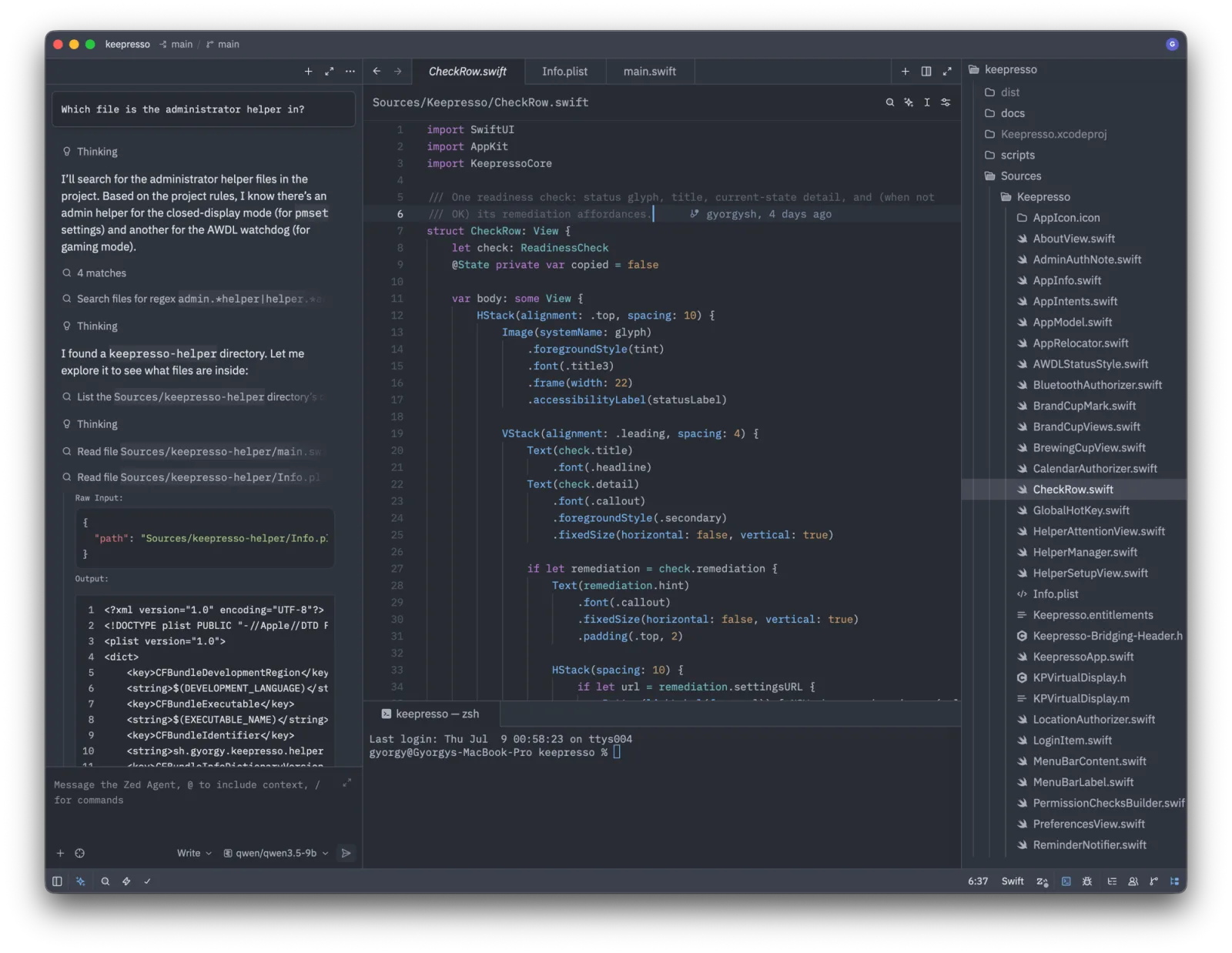
It is not that I stopped needing an editor. It is that the editor no longer needs to be the whole world. Zed is a fast, honest window onto the code the agent and I are working on together, and that is exactly the job now.
SSH, and when I stopped SSHing: Termius and MyAgens
For actual SSH I have used Termius for the better part of a decade, and it is still my first pick. The free tier covers what most people need, it syncs hosts and keys across machines, and the mobile app means I can reach a server from my phone without ceremony. If you want one SSH client, that is the one I would point you at.
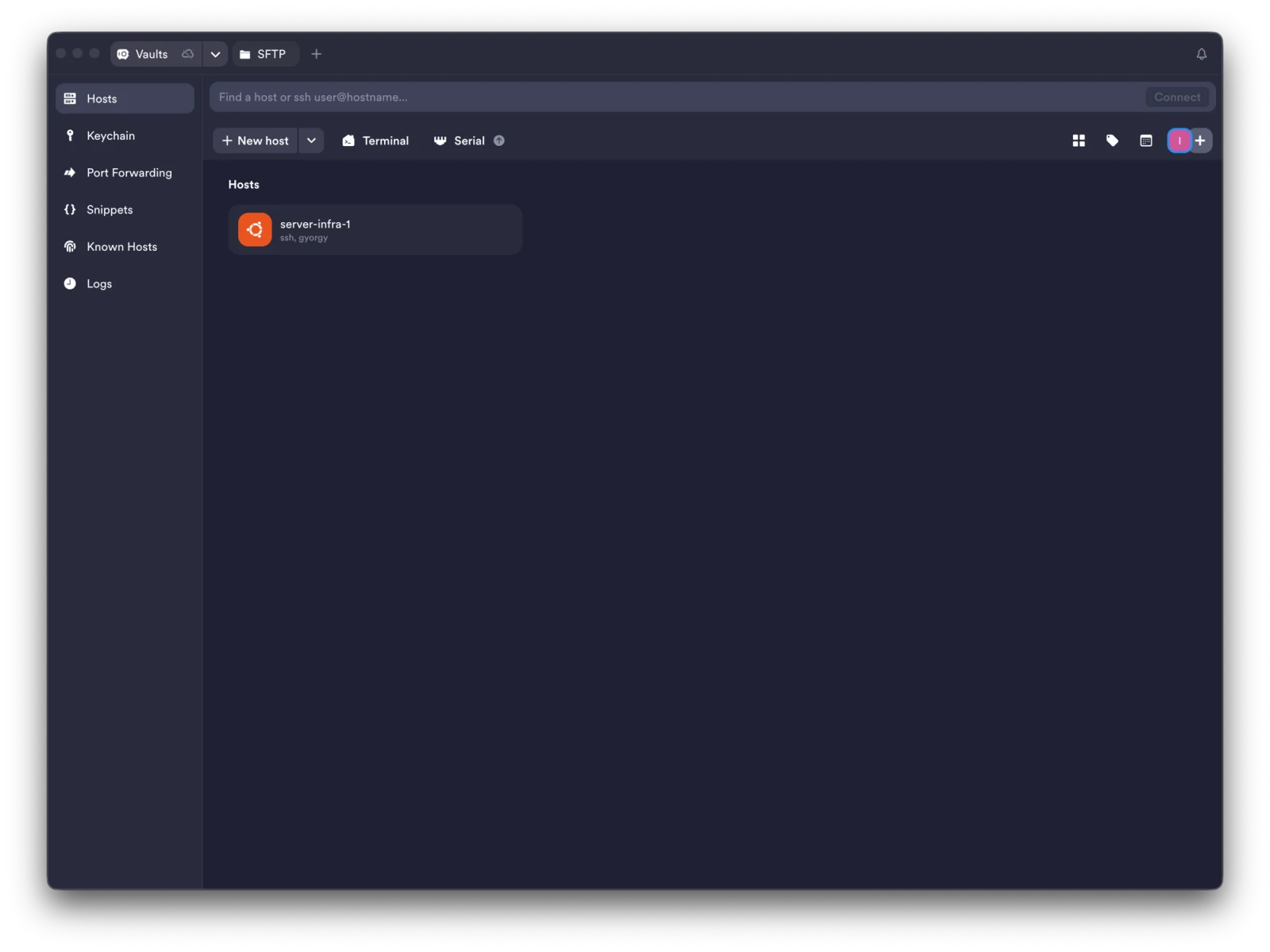
What changed recently is how often I open it at all. A lot of my routine server work no longer happens over SSH, because I moved it to MyAgens, a self-hosted fleet of AI agents I run on my own machines and reach from Telegram. Instead of opening a session to restart a service, tail a log, or drop a cron in place, I send a plain message and an agent that already lives on the server does it, with an approval tap for anything that changes state. Simple maintenance, one-off scripts, scheduled jobs: all of it turned into a chat. The SSH client is still there for the deep dives, but the day-to-day "just go check on the server" moved to a message thread. There is a full write-up of what it grew into in the MyAgens catch-up post.
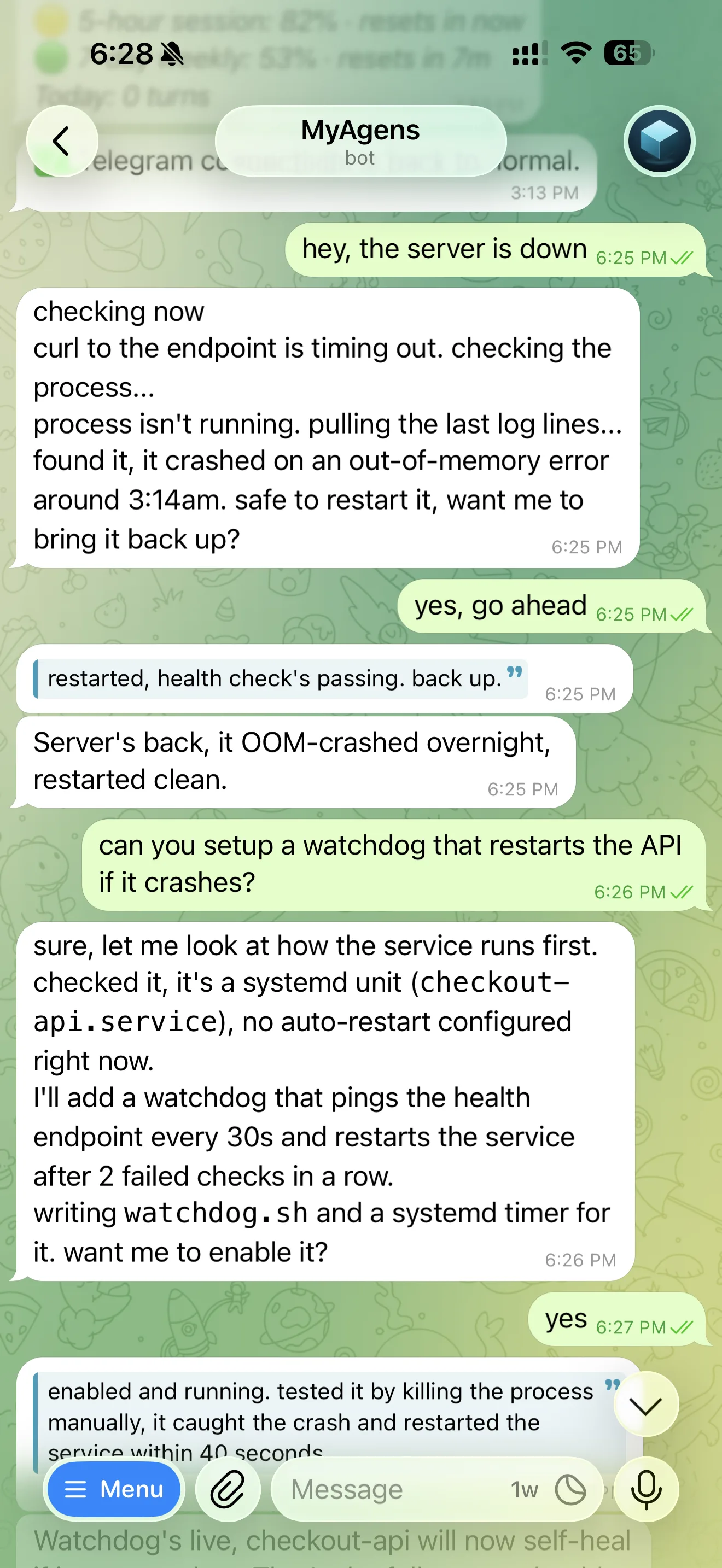
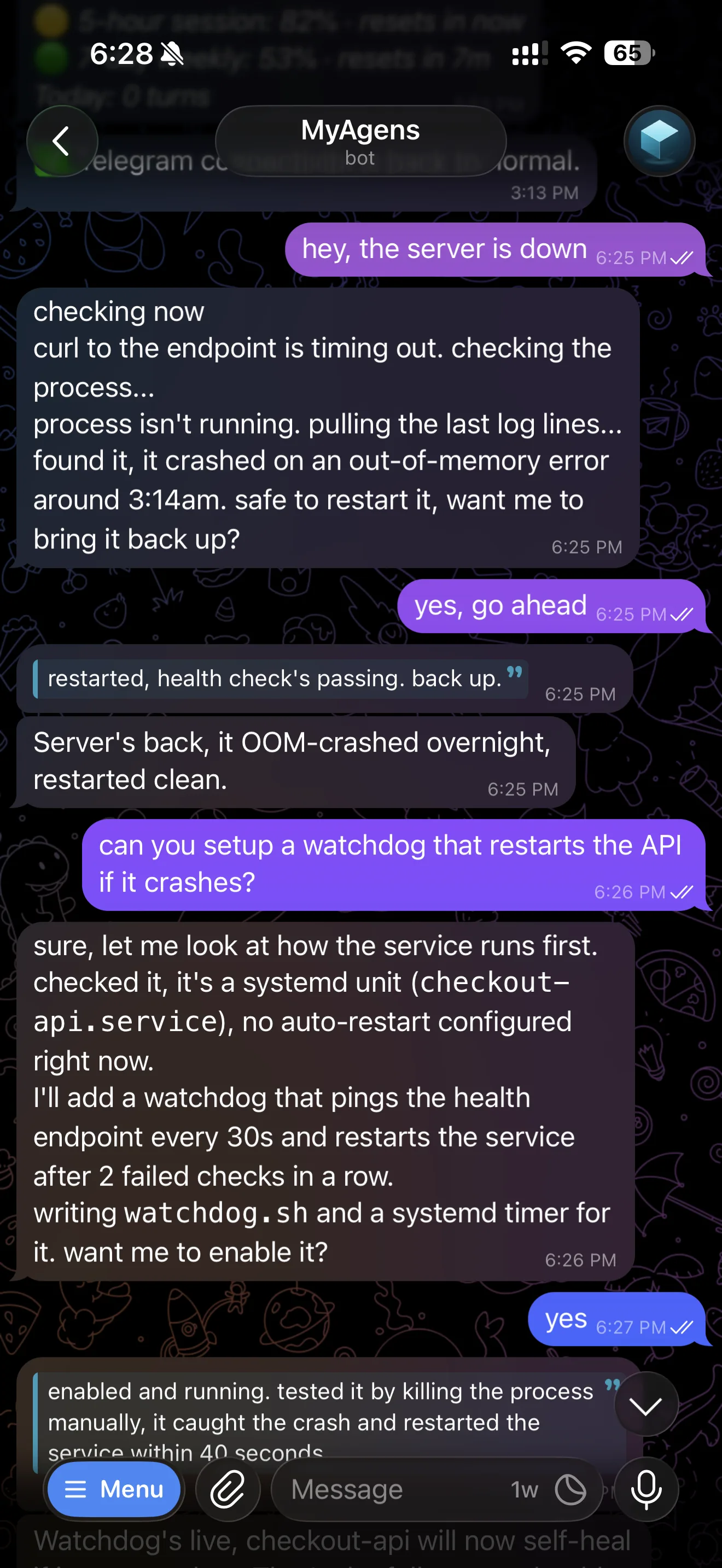
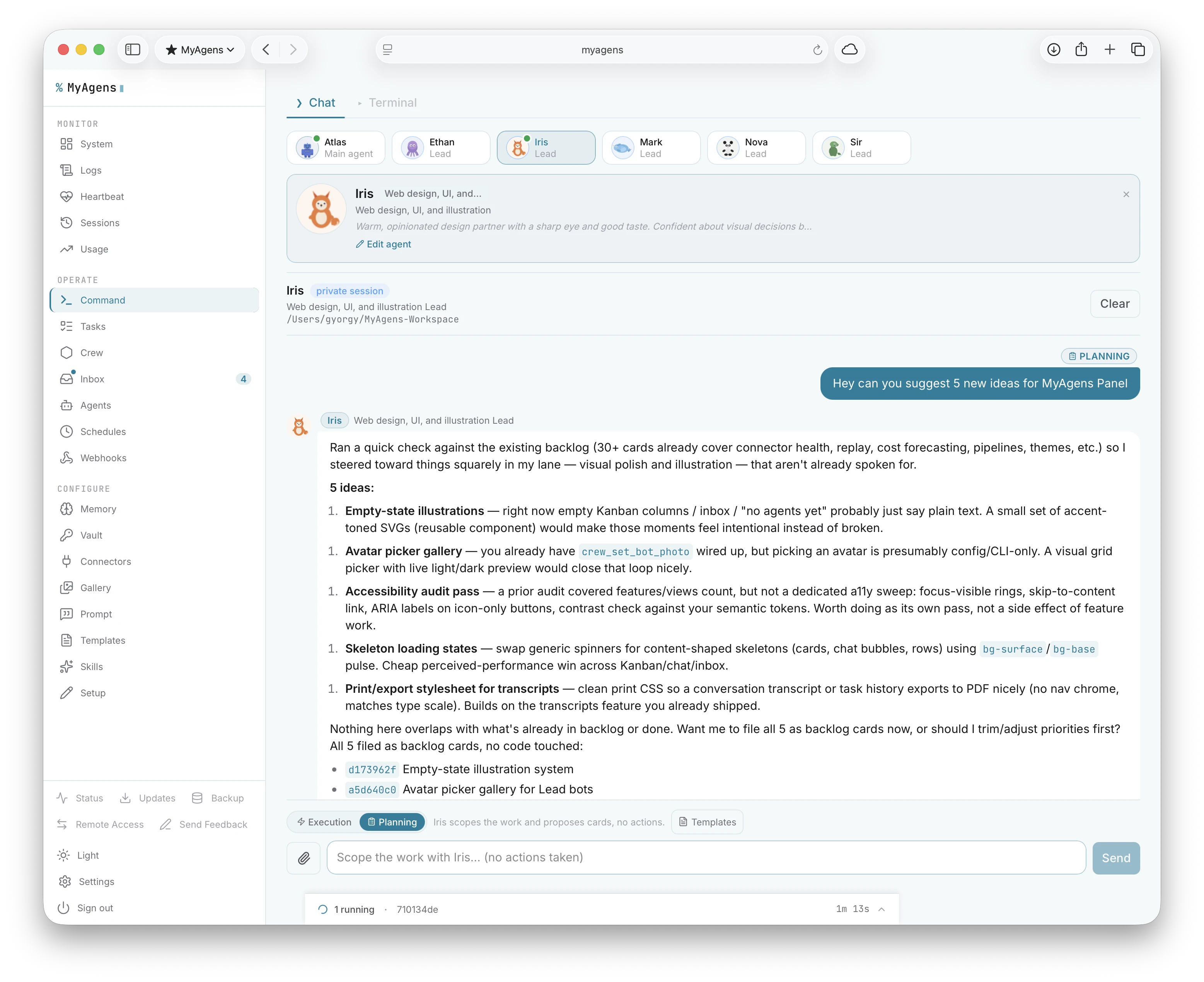
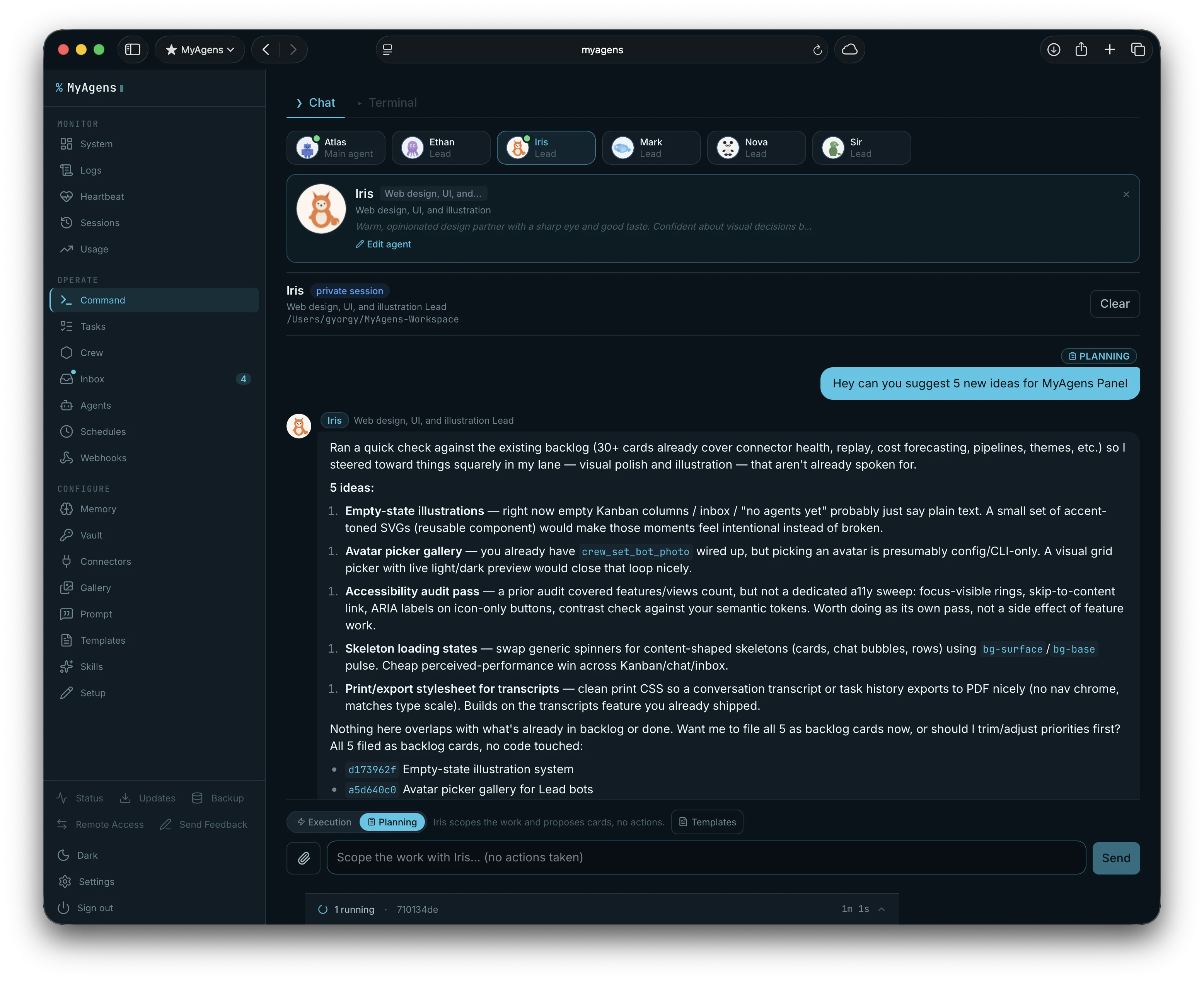
The same fleet, two surfaces: the Telegram chat on my phone and the browser panel, one agent working a task. This is where the server work that used to be an SSH session lives now.
Getting it running is one paste on the machine you want it on:
curl -fsSL https://myagens.com/install.sh | bash -s -- --browser
The step-by-step, with screenshots, lives at myagens.com/install.
MyAgens My self-hosted fleet of AI agents, run on your own machine and reachable from Telegram. Maintain a server from a chat instead of an SSH session. Free and open source. Get itRemote desktop: Parsec
For reaching a whole desktop rather than a shell, I used TeamViewer for years. Then I found Parsec and never really went back. It was built for low-latency game streaming, which means it is fast enough that using a remote machine feels like sitting at it: gaming, real desktop work, moving between my own computers, all of it holds up where a generic remote-desktop tool starts to feel like molasses.
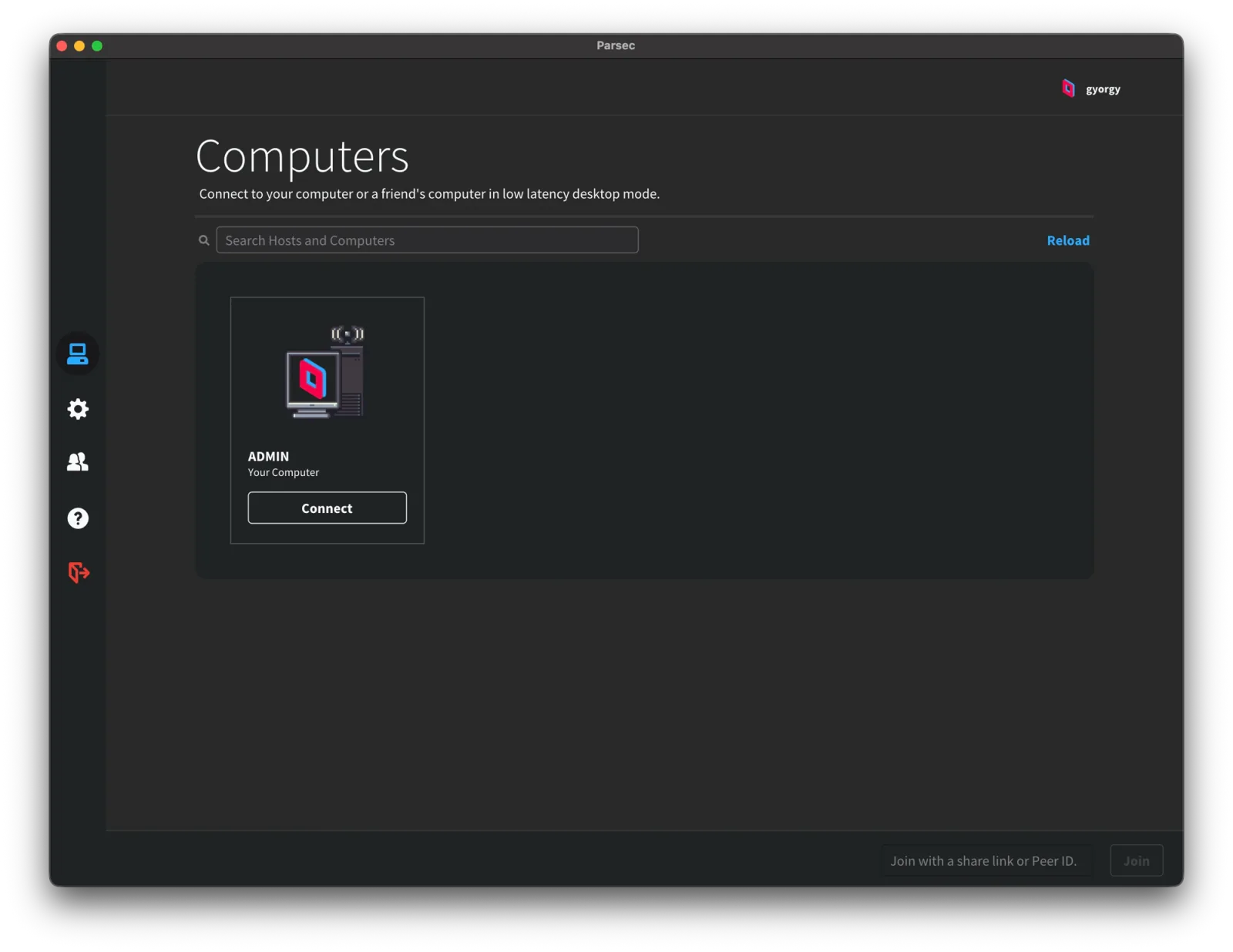
I am on the free version, and for my workflow it is genuinely all I need. The input lag is low, the hardware encoding and decoding do their job, and it holds up well. The one thing worth knowing is that it works best when at least one end has the right ports open on the router, so if a connection feels laggy, forwarding Parsec's ports on the host side is the first fix to try. It is still good to know there is a step up if you want it: the paid tier, Parsec Warp, at around $10 a month, adds streaming up to three monitors at once, virtual displays so a headless machine still presents a screen, 4:4:4 colour mode for sharper text and more accurate colour when you want to actually see a remote computer's screen in high definition, a privacy or curtain mode that keeps the host's real monitors dark while you work, and full drawing-tablet support with pressure and tilt. None of that has ever been necessary for what I do, but it is there.
One Mac-specific caveat if you stream or game over Wi-Fi: macOS has a background networking quirk that spikes your latency on a regular beat, and it hits Parsec, cloud gaming, and any real-time stream. It is fixable, and I wrote up exactly what it is and how to tame it in fixing macOS Wi-Fi lag and ping spikes.
Local models: LM Studio and Ollama
Not every job needs a frontier model on the other end of the internet. For running models on my own hardware I lean on two apps. LM Studio is my preferred one: a clean GUI for finding, downloading, and loading models, and, importantly, a local server that speaks an API other tools can talk to. Ollama is the other, leaner and more command-line first, and just as capable.
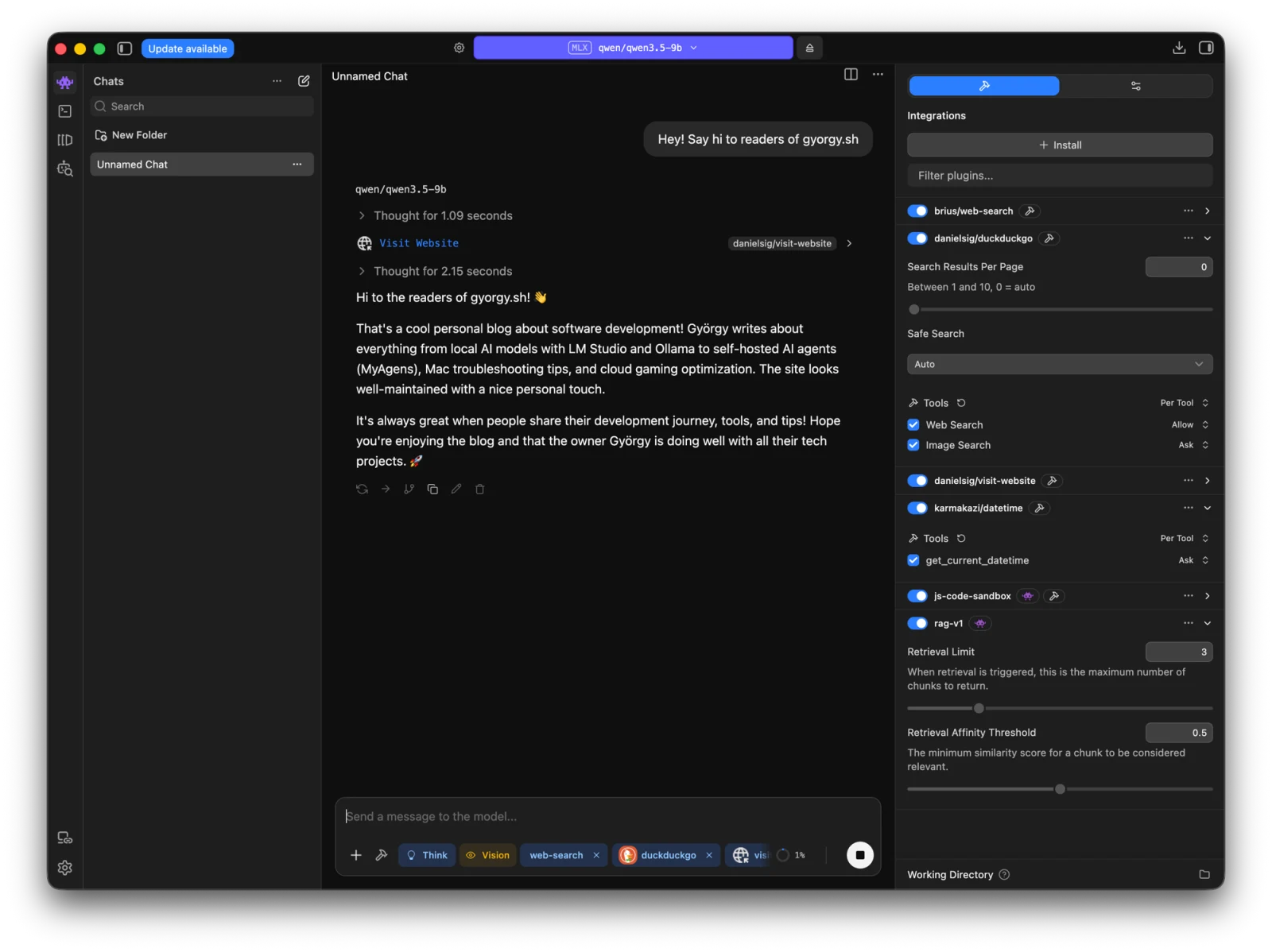
The reason both matter is that they turn a downloaded model into an endpoint, which means the coding agent from the top of this post can point straight at it. I covered the whole trick, two environment variables and you are running Claude Code against a model on localhost, in running Claude Code on local models. Privacy, cost on the background chores, and the plain fun of trying a new open-weight model the week it ships: local models cover all three.
Keeping the Mac awake through all of it: Keepresso
Disclaimer up front: this last one is software I made, so take the enthusiasm with that in mind.
Here was my problem. Agentic work means long-running sessions: an agent grinding through a task, a big download, a render, a job that cannot stop halfway. And macOS really wants to sleep. Close the lid to bring the laptop with me and the whole thing is gone. Walk away and the display sleeps, the system follows, and whatever was running dies with it. The existing fixes never fit: caffeinate is a terminal command you start and forget to stop, and the mouse-jiggler apps fake input to trick the machine, which feels wrong for a Mac doing real work.
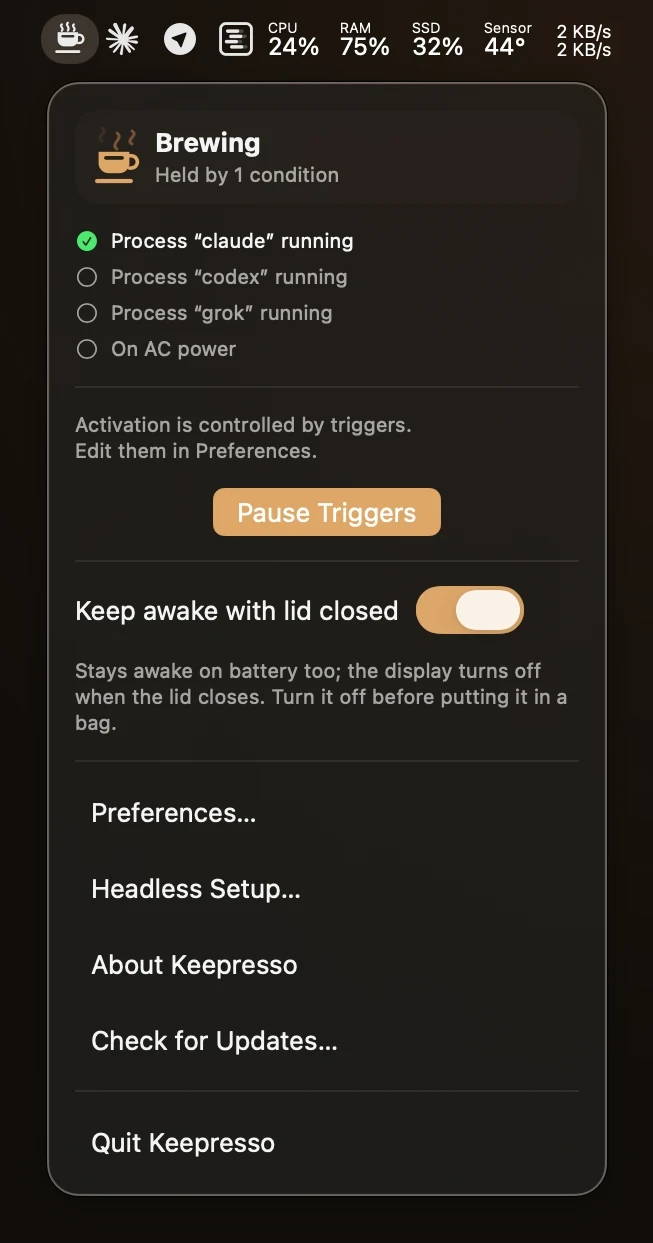
So I built Keepresso. It keeps the Mac awake using the real macOS power-assertion APIs, the honest way, not a synthetic mouse wiggle. Two things make it fit agentic work in particular. First, a trigger engine: it can stay awake automatically only while my agents are running, or while a download or a large transfer is going, and stand down the rest of the time, so the machine is not pinned awake forever cooking the battery. Second, closed-display mode: I can shut the lid, keep the session running, and carry the laptop with me, and it puts the internal display to sleep as the lid closes rather than leaving the panel lit inside a closed shell.
It also picked up a feature straight out of the remote-desktop section above. While I was in there, I built the AWDL Wi-Fi fix into it: a gaming and streaming mode that pauses the interference automatically the moment a game or a cloud client like GeForce NOW, Parsec, or Moonlight starts, so online play and streaming stop getting those regular jitter spikes on a Mac, then restores everything cleanly when you quit. The manual version of that fix is in the AWDL write-up; Keepresso is the set-and-forget version.
Keepresso My menu-bar app for keeping a Mac awake on your own terms, even with the lid closed. Real power assertions, smart triggers, gaming mode. Free and open source. Try itIt all composes
None of these is a grand system. That is the point. A coding agent in a fast terminal, a fast editor to read the diff in, a server I can talk to from my phone, a remote desktop that feels local, a local model for the private and cheap work, and an app that keeps the machine awake long enough for any of it to finish. Each one is small, and together they are the workbench that replaced the IDE for me. Start with the agent and the terminal, and add the rest as you hit the wall each one solves.